
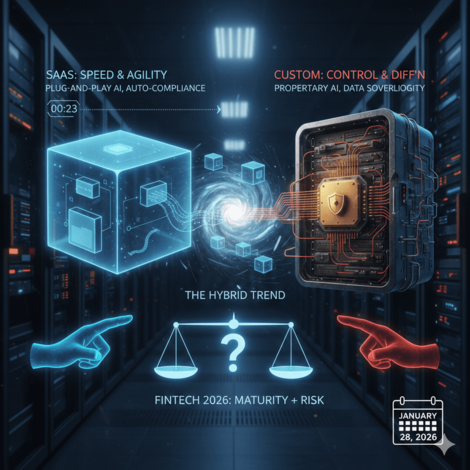
SaaS vs Custom Software: Which Is Better for Fintech in 2026?
The fintech industry is quickly growing in 2026, driven by major changes in SaaS platforms and emerging software innovations. Choosing the right and reliable software is very important to grow your business online. Many people ask this question: SaaS VS custom software, which is the better software for your business? In simple and easy words, you can use them to buy SaaS or build custom software that is perfectly fit for your business. This custom SaaS fintech Hyperlogic software comparative guide will explain both solutions the perfect for your online businesses. We will also discuss the pros and cons of saas and custom software. What is SaaS Software in Fintech? Software as a service (SaaS) refers to cloud-based software that you can use on the basis. These SaaS software are designed with the general uses such as payment, CRM, analytics, and tracking systems. Many startups focus on SaaS to launch easily and quickly, especially with compliance customization and data control. What is Custom Software for Fintech? Custom software is built specifically for your business that most businesses use to make an online presence. If you are looking for custom software development, you can choose Cubixsol custom software development company, which is the best solution to make your business’s online presence. Custom development offers you the fintech firm with full ownership, with detailed integration and with advanced benefits in 2026. SaaS vs Custom Software: Quick Comparison Here is a comparison between SaaS vs. custom software: Feature SaaS Software Custom Software Deployment Fast Takes time Customization Limited Fully customizable Upfront Cost Low Higher Long-Term Cost Subscription-based One-time + maintenance Compliance Generic Tailored to regulations Security Vendor-controlled Business-controlled This Saas vs Custom software comparison highlights which is best and most suitable for your business. Pros and Cons of SaaS for Fintech Here are some pros and cons of SaaS for Fintech: Pros of SaaS Fast setup and launch Lower initial investment Automatic updates and hosting Ideal for MVPs and early-stage fintech startups Cons of SaaS Limited flexibility for complex fintech needs Ongoing subscription costs Less control over data and security Compliance may not match local regulations Pros and Cons of Custom Software Development Here are some pros and cons of custom software development: Pros of Custom Software Designed for your exact fintech use case Better compliance and regulatory control Advanced security architecture Seamless API and banking integrations Cons of Custom Software Higher initial development cost Longer development timeline Requires reliable technical partners These pros and cons help you to work with trusted custom software development companies that reduce the risks and grow your businesses. Compliance and Security: SaaS vs Custom Software Many compliance security SaaS tools give you reliable solutions, but these solutions may be for a short time or any specific region like AML, KYC, GDPR, or PCI-DSS : Custom software allows fintech businesses to: Implement country-specific compliance rules Build stronger fraud detection systems Maintain full ownership of sensitive financial data In 2026, fintech platforms handling large transaction volumes increasingly favor custom solutions for security and compliance. To Buy SaaS or Build Custom Software? After knowing the pros and cons of SaaS and custom software, you have decide to buy SaaS or build custom software: Choose SaaS If: You’re launching an MVP or pilot product Budget and speed are top priorities Your business model is simple and standardized Choose Custom Software If: You plan to scale aggressively You operate in regulated fintech markets You need unique features for a competitive advantage Data security and ownership matter SaaS vs Custom Software: What Works Best in 2026? Fintech depends on automation, customization, and building trust in 2026. SaaS platforms help you to grow your business quickly and innovatively. Custom software provides: Long-term scalability Stronger brand differentiation Better customer experience Full control over future upgrades SaaS and custom solutions work differently; you can choose according to your business. Final Words In Conclusion, choosing SaaS vs custom software fr your fintech business. SaaS is the best solution if you are looking for a quick launch, and it has low upfront costs. SaaS software is the easiest to manage solution for your business. These SaaS platforms are best suited for startups and the best ideas without heavy investment. On the other hand, if you want to upgrade your fintech business to the next level. This custom development software manages both financial and operational data, providing a smart and long-term solution. This platform offers you better security and compliance control according to your customers’ needs. In simple words tp buy SaaS or build custom software is the best business strategy in 2026.
Continue Reading
CubixSol’s Expert Web & Mobile Developers in Faisalabad’s Software House
Cubixsol is the most trusted to offer innovative and high-quality web and mobile development services. In Faisalabad, we are a rated software house that provides you with smart and digital solutions that help to grow your business online. Our team of expert developers, designers, and marketers works with full potential and helps to transform your ideas into potential success with digital experiences. At Cubixsol, we offer to build the business in the digital world with the help of the latest technologies. About CubixSol At Cubixsol, we offer digital solutions with the help of the latest and innovative technology and market trends. As a trusted software house in Faisalabad, we focus on developing and providing user-friendly, high-performing and user friendly digital solutions. At Cubixsol, we aim to offer a simple and engaging business build and strong online visibility to get targeted growth in the digital world. Our Services Here are our services that we deliver with full potential: Web Development At Cubixsol, we specialize in designing user-friendly, responsive websites and attractive designs that get more conversions. If you are looking to create a simple and advanced e-commerce store, we offer you all services with customizations and ensure that your website is fast, secure, and optimized for all devices. Our main focus is to give the best user experience and an engaging layout that helps users make purchases online easily. Mobile App Development Our mobile app development experts build the strongest and most user-friendly apps for both Android and iOS platforms. Our professional work from concept to launch, where we ensure every app that we create has high performance that meets the business’s needs and goals. We use the latest technologies and advanced frameworks that offer smooth and easy navigation with strong security and the best user experience. UI/UX Design Our UI/UX design professionals create user-engaging and attractive design that meets your business goals and keeps your current visitors converting into customers. We focus on creating a user-engaging layout and design that easily navigates to make the online purchase, and user-friendly interface that improves the user experience and makes conversions. Digital Marketing With the help of digital marketing services, you can get noticeable results in your business. We offer different SEO strategies, Google Ads, and social media marketing strategies that give you the potential results and attract real customers and convert your normal users to repeat customers. We aim to grow your business recognizable with the help of different digital marketing tips and strategies. Software & SaaS Solutions CubixSol develops custom software and SaaS solutions that simplify your operations and boost productivity. Whether you need management software, automation tools, or cloud-based platforms, our team designs solutions that are secure, scalable, and built to fit your business goals. We make technology work smarter — so you can focus on growth. API Development & Integration Our API development and integration services ensure your systems work seamlessly together. We create secure, reliable APIs that connect your applications and streamline business processes. Whether it’s integrating third-party platforms or building custom APIs, CubixSol helps enhance automation, improve performance, and ensure smooth communication between your digital systems. Why Choose CubixSol? Choosing CubixSol means partnering with a team that values quality, innovation, and trust. As a leading software house in Faisalabad, we focus on delivering powerful digital solutions that help businesses grow and succeed. Our experienced developers, designers, and marketers work hand in hand to bring your vision to life—on time and within budget. We use the latest technologies, follow global standards, and ensure each project is built for performance, security, and scalability. At CubixSol, we don’t just complete projects — we build long-term partnerships based on transparency, dedication, and results that truly make a difference. Contact Us Are you ready to grow your business online to the next level? Our team of expert help you to create a high-performing and strong online presence on different platforms. You can visit the website CubixSol to get all these services with free consultation and customization at very affordable prices
Continue Reading
Top Benefits of Being a Graphic Designer: Advantages Explained
A graphics designer is the graphics expert who uses the different colours, shapes, and images to design a creative and attractive design. A graphics designer helps to create the logos, posters, and different content to engage the customer through different posts and video content. There are many graphic designer benefits that help to make an attractive design to promote the brand uniquely. In this guide, we will explore the role of a graphics designer and the advantages graphics designer. What is a Graphics Designer? A graphic designer is a professional creative person who attractively creates engaging designs. They use different colours, shapes, images, and some text to make engaging and creative logos, posters, websites, and social media graphics and video creation. They creatively give engaging information. If you are working for a business and as a freelancer, you need a graphic designs who help to connect with your audience with attractive designs. Role of a Graphic Designer and Their Services The role of a graphics designer is to make the ideas, and you can convey your ideas effectively and attractively. They use creative design, tools, and some elements like colour, and layout to make the content more creative and attractive. Graphic designers offer a wide range of services, including: Logo and Branding Design Website and UI/UX Design Social Media Design Brochure, Flyer, and Poster Design Packaging Design Illustrations and Digital Art Graphic Designer Benefits Here are the benefits for graphic designers : 1. Creative Freedom Creative freedom is one of the best benefits for graphic designers. You can convey the ideas in different and unique ways. If you want to make the logo, brochure, and banner images, you can create them according to your creativity. 2. High Job Demand A graphic designer is required in almost every industry. Different businesses, brands, and social media need different and unique ways to present their products and services. There are many tasks and job opportunities for graphic designers. It is one of the biggest benefits of this field. 3. Work from Anywhere Flexibility is the best graphic designer benefit you can work from home or anywhere any anytime. Many freelancers choose their own working hours to meet the workflow.You can choose the working time and style. 4. Always Learning New Skills Design tools and styles keep changing with time. As a graphic designer, you’ll always learn new software, techniques, and trends. This helps you grow your skills and stay creative. Continuous learning is one of the key graphics benefits in this career. 5. Good Income Potential Graphic designers can earn a good income, especially with experience and skill. Freelancers can work with different clients and set their own rates. The more creative and professional your work is, the more people will pay for it. 6. Different Career Options Graphic design offers many career paths. You can work as a web designer, logo designer, branding expert, or social media designer. You can even move into UI/UX design or animation. This variety makes the career full of exciting opportunities. 7. Build Your Own Brand As a designer, you can create your own style and build a personal brand. Platforms like Behance, Dribbble, and Instagram help you share your work with the world. When people love your designs, you can attract clients easily and grow your name. 8. Work with Global Clients Graphic design allows you to work with people from all over the world. You can take online projects from other countries and learn about different cultures and design trends. This global reach is a great advantage for every designer. 9. Job Satisfaction Seeing your design used by people or printed on products gives a special feeling. Your work helps brands look better and connect with their customers. This sense of achievement is one of the most enjoyable benefits for graphic designers. 10. Helping Businesses Grow Designs play a big role in how a business is seen by people. A good logo or advertisement can bring more customers. As a designer, you help businesses grow and communicate their message clearly. That’s a real and meaningful advantage of this job. Professional Graphic Design Services at Cubixsol At Cubixsol, we offer a wide range of graphic design services to help businesses stand out and build a strong brand identity. Our skilled designers create logos, social media posts, brochures, websites, packaging designs, and digital artwork that perfectly match your brand’s style and message. We focus on creativity, quality, and clear communication in every design. Whether you’re launching a new brand or upgrading your visuals, Cubixsol provides professional and modern design solutions that leave a lasting impression. Conclusion Graphic design is one of the most creative and rewarding careers today. It allows you to express ideas, learn new skills, and work with clients from around the world. The benefits for graphic designers go beyond art — it’s about communication, creativity, and growth. At Cubixsol, we help brands bring their ideas to life through professional design services. If you want to build a strong visual identity and stand out in the market, graphic design is the key to success.
Continue Reading
SEO Reporting: What It Is, Tools, and Automated Solutions
An SEO reporting plan plays an important role in helping to improve your website’s engagement. In SEO reporting you can collect and analyze the data about rankings, keywords, traffic of your website, and backlinks, and overall visibility that tracks the complete data and website performance. With the help of these reports, you can modify and make more improvements to get more ranking and traffic. By using these SEO and analytics reporting, you can plan better strategies that improve your website searches and business growth. In this guide, we will explore what an SEO report is, the benefits of SEO reporting, and the best tools available for SEO automated reporting tools. What is an SEO Report? An SEO report is and detailed report where you can track your website performance. In this data, you can collect the ranking keywords, source of traffic, backlinks, and speed of your website, and overall progress. This SEO report helps you to make better decisions and plan the best strategies to grow your business and fix all issues if you track and find in the SEO analytics and reporting. SEO and analytics reporting details give you a complete overview and user behaviors and all metrics of your website, which help to make the best planning and strategies that boost the user experience. Why is SEO Reporting Important? Automated SEO reports are very important to help you track your website performance, where you can analyze where you need to make more improvements and need attention. These reports give you all the insights into your website, like ranking keywords, sources of the website traffic, and analyze the user behavior that helps you to make detailed strategies that work better and perform in an effective way. With detailed SEO analytics and reporting, you can analyze the ROI that you can use for future strategies. By using these SEO automated reporting save time and make better decisions that perform effectively. Top Tools for SEO Software Reports Here are many different tools that help you generate SEO software reports where you can analyze the website performance. These tools help you to collect all the information and analyze the SEO data. Here are some effective tools that we use by SEO professionals globally: 1. Google Analytics & Google Search Console Google Analytics and Google Search Console are two free and best tools of Google that need for every website needs to track the performance. Google Analytics helps you to analyze and understand the user behavior that help to make more improvements. On the other hand, Google Search Console gives you all the insights of your website, like keywords, ranking, clicks, indexing issues, and the source of traffic. These tools are the most reliable SEO and analytics reporting tools that give you the best outcomes. 2. Ahrefs Ahrefs is a powerful SEO platform widely used for backlink tracking, keyword research, and competitor analysis. Its detailed reports help you understand your website’s link profile, identify broken backlinks, and discover new ranking opportunities. The platform’s “Site Audit” feature scans your site for SEO issues, while “Rank Tracker” monitors keyword positions over time — making reporting SEO results more precise and actionable. 3. SEMrush SEMrush is an all-in-one SEO and digital marketing tool that simplifies reporting and strategy building. It provides deep insights into keyword rankings, domain authority, organic traffic, and content performance. Its built-in SEO automated reporting feature lets you schedule customized reports, saving time and ensuring you never miss critical updates. SEMrush is perfect for agencies and businesses that want detailed yet easy-to-understand performance summaries. 4. Moz Pro Moz Pro is known for its user-friendly interface and accurate SEO analytics and reporting features. It offers rank tracking, site audits, backlink analysis, and on-page optimization suggestions. Moz’s “Page Optimization” tool provides clear guidance on how to improve specific pages, while its “Link Explorer” helps you build a stronger backlink strategy. It’s an excellent choice for beginners and professionals alike. CubixSol: Smarter SEO Solutions At CubixSol, we understand that effective SEO reporting is the backbone of every successful digital strategy. Our expert team provides complete SEO and analytics reporting solutions designed to help businesses grow online. We use advanced tools and automated SEO reports to track performance, identify areas for improvement, and deliver clear insights that drive results. Whether you need keyword tracking, traffic analysis, or full SEO management, CubixSol offers customized services to help your website rank higher, attract more visitors, and achieve measurable success. Conclusion In conclusion, SEo reporting is the key to tracking and analyzing the website performance that helps you in the future to make the best and most effective strategies. These help you to monitor the website data and weak areas that need more improvements over time. In addition, different tools like Google Analytics and Google Search Console, Moz Pro, Ahrefs, and SEMrush give detailed and complete SEO software reports and audits that save your time and provide a complete analysis to improve the user experience and growth of your business. By using all these tools, you can take your website’s SEO performance to the next level
Continue Reading
Data Migration Types and Technology
Data is very important for every business; it is the backbone of the organization that depends on running the business operations and making smart decisions. Data migration is needed to transfer data from the old system to the new system to improve the performance, speed, and security of the business. With the reliable data migration using best practices, businesses can choose the latest technologies to keep the data safe and secure and easily accessible. In this guide, we will explore what data migration is, the data migration procedure, and data migration best practices. Define Data Migration Data migration definition is moving data from one system to another system. Data migration needs proper planning, testing, and monitoring, unlike the copy paste the files and data. The best data migration system ensures that the data remains accurate, complete, and usable in the new place. Without a proper procedure, there are many risks of losing important information. Many professionals are mostly assisted in data migration projects ensuring data integrity during transition. Why is Data Migration Important? Data migration is very important it allows businesses to keep their data safe and secure and easily accessible. Without data migration, companies would lose important customer records. With the help of software data migration, you can migrate the customer records, financial data, and employee details to a new application without disruption. Data migration also improves the performance of the business. Many businesses choose cloud migration, which is a type of migration in technology, to access data anytime, anywhere. Types of Migration in Technology Different types of migration in technology have different uses and challenges: Storage Migration Storage migration is the process of moving data from one storage system to another system. For example, a business may move the data from local hard drives to a fast and quick cloud storage system. It increases the speed, security and performance of the business operations. Database Migration In a database migration system, businesses can transfer data between multiple databases. For example, a company may transfer the data from Microsoft SQL to PostgreSQL to help the businesses. Application or Software Data Migration Without proper software data migration business can lose the customer information. For example, you can move customer data from one CRM software to another software system that the business can switch to with new applications. Cloud Migration Cloud migration is the best migration system that businesses use to move the applications, workloads and data from one cloud platform to another. In this migration offer the is better accessibility. ITSM Migration ITSM migration refers to moving data between IT Service Management tools. For example, when a company changes its helpdesk or IT support software. This ensures tickets, customer issues, and support data are not lost. Cubixsol Best Data Migration Solutions At Cubixsol, we understand that data migration can be complex and risky without the right planning and tools. Our team provides professional data migration solutions that ensure smooth transitions, whether it’s software data migration, cloud migration, or ITSM migration. We follow proven data migration best practices to make sure your information remains accurate, secure, and accessible during and after migration. With expertise in modern data migration systems, Cubixsol helps businesses upgrade their technology confidently while protecting valuable data. Our goal is to make migrations seamless, reduce downtime, and give organizations the freedom to focus on growth instead of technical risks. Conclusion To conclude, data migration is a process that every organization eventually faces. Whether it’s software data migration, ITSM migration, or cloud migration, the goal is always the same—move data safely and make sure it works in the new environment. A well-planned data migration procedure, supported by the right data migration system, allows businesses to upgrade technology without risks. Following data migration best practices ensures data integrity, security, and efficiency. Related Blog: What Is Data Migration and Why Does It Matter for Small Businesses?
Continue Reading
Small Business Website Maintenance Easy Guide
If you are starting a small business so you need to make an online presence to connect with your customers. A website is the best way to connect with your audience. But the website needs ongoing maintenance in the sense of speed optimizations, upgrades that meet the user requirements, design layout, and features. So, the small business website maintenance is very important to make your website fast, reliable, and secure. It is the ongoing process that goes on the until your business ends. In this comprehensive guide, we will explore what is website maintenance, the importance of website maintenance and how to maintain a website for small business What Is Website Maintenance? Website maintenance and support is the ongoing process to make your website updated, well-optimised and secure, and fast. In the website maintenance process, it may involve many different tasks like software updation, adding new content and monitor the performance and fix the error if you are facing. If you are looking what does a website manager change for a maintenance, so it makes your website update and add the features and content to boost the user experience and make your website very fast and secure, and also work on to optimsing your website on every device that give the best performance. Regular maintenance of the website provides a smooth user experience. Why Website Maintenance is Important for Small Businesses The importance of website maintenance is crucial to grow your business online. If your website is outdated, loads very slow and insecure, you can lose your real-time customers. On the other hand, if your website is well optimised, loads very fast and very attractive design that meets the user requirements so it increases the user experience and improves the rankings on search engine optimisation. Many people are looking why website maintance is important so these all points are very important for website maintenance. Website Security and Maintenance If we talk about the website security and maintenance the security of the website is always first. Small businesses’ website hackers target the website, so regular website security and maintenance are very important to ensure the security of the website. In security maintaince like softare updation, and updating plugins, scanning makware and make the backup firts to prvent the data loss. In web development and maintenance, you have to need a proper development and maintenance process that safe your website from cyber threats and unauthorized access. How to Maintain a Website for Small Business? Here are some basics steps that very effective for small business website maintence: 1. Update Software, Plugins, and Themes Regularly Upgradation of software plugins and design is very important in website maintance and support that help to keep your software, plugins, and themes updated. Outdated websites decrease the user experience and loose the real time customer and also give the chance to hackers. 2. Perform Regular Security Checks When it comes to website security and maintenance, the security is always on top. You have to need the run regular scans , security checak and malware to detact the threats early. The regular maintnace is overcome the riks of hacking and loose the customer trust. 3. Backup Your Website Frequently The backup of your website is very important to prevent data loss if something goes wrong with the website. The backup also saves the data if your system is crash and hacked. Professional website maintenance services experts recommend considering the automatic daily backups that save your data and secure. 4. Monitor Website Speed and Performance Speed optimisation is the most important factor in website optimization and maintenance to boost the performance of the website. To optimize the site loading speed, you can use the Google PageSpeed Insights to check the performance and check the improvements that are needed. Image optimization, deleting the unused plugins, and upgrading the hosting plan are some basic concepts that help to improve the user experience and search engine rankings. 5. Review and Refresh Content Content is the main part of your website;; if your content is not updated according to the new polices of search engines it may cause to your website’s ranking factors. The regular refresh of your old content with the help of new keywords that are trending now. Website maintenance for small businesses you can add a new blog post with SEO friendly content to keep your customers enaged and attract. 6. Test Forms, Links, and Payment Systems Broken links, faulty forms, or errors in your payment system can cost you sales. As part of web development and maintenance, test all forms, contact pages, and checkout processes regularly. Fixing broken links and ensuring smooth transactions builds trust and creates a professional customer experience. 7. Hire Professionals When Needed While many tasks can be handled in-house, some require technical expertise. Professional website maintenance services include advanced security monitoring, speed optimization, design improvements, and 24/7 support. Outsourcing these tasks ensures that your website stays in top condition while you focus on running your business. If you are looking for reliable experts, Cubixsol offers complete solutions for web development and maintenance, including website optimization and maintenance, security upgrades, and ongoing support tailored for small businesses. With professional help, you can stay stress-free knowing your website is secure, updated, and always performing at its best. Why Cubixsol for Website Maintenance? When it comes to professional website maintenance, choosing the right partner makes all the difference. Cubixsol stands out because it offers a complete range of services designed specifically for small businesses. From website security and maintenance to website optimization and maintenance, Cubixsol ensures that your site is always updated, secure, and performing at its best. Unlike one-size-fits-all solutions, Cubixsol provides tailored support, whether you need regular updates, advanced security checks, or full web development and maintenance. The team focuses on delivering reliable, long-term results so you can focus on growing your business without worrying about technical issues. With Cubixsol, you get not just maintenance but a trusted partner for your digital growth. Conclusion A
Continue Reading
Dedicated Team vs. Project-Based Model: Which Is Right for You?
When starting a new software development project, you must choose the best and most effective development approaches to aid the development process. When it comes to the development team model, there are two options available: the dedicated development team model, and the other is the project-based model. If we talk about the dedicated development team model, it offers you the long-term relationship and continuous support, but on the other hand project-based model is best for short-term and fixed for just the project. In this guide, we will take a look at the dedicated team vs. project-based model and why businesses need a dedicated development team. What Is a Dedicated Development Team? A dedicated development team consists of different professionals like developers, designers, and software testers. The dedicated development team model is not in-house staff, but it works like staff members who offer you a dedicated team in project management that meets your business goals and needs. The dedicated project team structure makes your business operations easy to manage and meet your business needs. This dedicated team approach offers you a long-term connection with continuous support. What Is the Project-Based Model? The project-based model is and very cooperative approach where the project, timeline budget are fixed. Once the project is finished, the collaboration ends with this model. This project-based model is best for simple and shorter-term projects. For example, if you want to create a small website, landing pages, or add some features. Before starting the project requirements, goals, and deadlines are agreed upon before working. Dedicated Team Model vs. Project-Based Model Aspect Dedicated Development Team Model Project-Based Model Focus Team works only on your dedicated project Team works on a fixed-scope project Flexibility High – you can scale the team, change requirements, and add new features anytime Low – requirements, budget, and deadlines are fixed from the start Duration Long-term collaboration, ongoing support Short-term, ends when the project is completed Control You have more control over tasks, priorities, and team structure Limited control, as most decisions are set at the beginning Best For Complex, evolving projects that need continuous development Small, well-defined projects with clear goals Cost Ongoing investment, but cost-effective for long-term needs Budget-friendly for one-time tasks Which Model Should You Choose? If your business is large-scale and needs ongoing development and regular updates, you have to choose the dedicated development team model. With the help of a dedicated team, you can easily upgrade and scale up your business. This dedicated team approach is best for startups and SaaS companies that need product improvement on a regular basis. It also offers you a dedicated project team structure that helps to scale your business for the long term and provides continuous support. On the other hand, if you need any short-term project, the project-based model is a perfect choice. This project-based model is suitable for all tasks, like landing pages, creating a small website, and developing a time tool. In this model, it reduces the management and beduct without a long-term connection. Why Do Business Owners Need a Dedicated Development Team? Here are dedicated team model that you need dedicated project team structure. 1. Full Focus on Your Project A dedicated development team focuses on client needs and business goals. They offer you high-quality results that help you to make better decisions. 2. Cost-Effective Solution A dedicated project team structure reduce the hiring cost, office setup and other extra expenses.It is more reliable and budget-friendly option for long term projects. 3. Flexibility and Scalability The dedicated development team model help to scal your projects. If you need more developers during overload and fewer for maintenance you can choose us very easily. 4. Long-Term Collaboration A dedicated team approach best for long-term projects. If you want to hire for long-term or continuous support. The long-term projects like add new features, regular updates and improve the business growth. 5. Better Control and Communication In project management, a dedicated team provides clear roles and responsibilities, which reduces confusion. With regular updates, meetings, and direct communication, you stay in control and know exactly how your dedicated project is progressing. 6. Access to Skilled Experts A dedicated team in project management usually includes not only developers but also testers, designers, and sometimes business analysts or project managers. This means business owners get access to a wide range of expertise without needing to hire different people separately. Choose the Right Model with Cubixsol At Cubixsol, we offer the both models like dedicated development team model and project based model. You can choose the model according to your business needs and goals. Our dedicated team approch offer you the best dedicated project team structure that best for long term projects. If you want for short term project you can choose our project based model that deliver fast at very affordable prices. Conclusion Choosing between a dedicated development team model and a project-based model depends on your business goals, project size, and long-term plans. A dedicated team approach is the right choice if you need flexibility, scalability, and continuous support for complex or growing projects. On the other hand, the project-based model works best for small, one-time projects with a fixed scope and budget. At Cubixsol, we offer both models so you can select the one that best fits your needs. No matter which option you choose, our team is committed to delivering reliable, high-quality solutions that help your business succeed. Related Blog: What Is a Dedicated Development Team and How Does It Work?
Continue Reading
The Future of SaaS: Trends Every Business Should Watch in 2025
Many businesses are moving their software to the cloud to grow their business and services. SaaS is the best way to use the software without installing it on your devices. In 2025, SaaS allows businesses to work fast and save money, and offers the tools that you can use anywhere. There are different SaaS trends 2025, like artificial intelligence, automation, and fintech solutions. Businesses can use SaaS in every industry to grow fast online. In this guide, we will explore the most important software as a service trends that every business should watch in 2025 and we discuss B2B SaaS trends to SaaS marketing trends, and from custom fintech SaaS solutions to the best SaaS ideas 2025. What Are SaaS Trends? SaaS trends are the latest development in the software as a service industry, where you can integrate your business with it. These SaaS trends help businesses make their business operations easy and manageable, increase customer demands, and meet market needs. SaaS tools can automate the SaaS market trends to compete in the market in 2025. If you’re new to the industry, understanding what SaaS development is and how it works is essential before following future trends. Why SaaS Matters in 2025 SaaS is the backbone of the latest business operations in 2025. SaaS offers a cloud-based solution that you can access everywhere, anytime on all devices, instead of traditional software. It offers to businesses to grow fast, improve collaboration with high security. With the help of B2B SaaS trends, SaaS marketing trends, and a custom Finchtech SaaS solution, businesses use SaaS to streamline business processes and provide better customer satisfaction in 2025. Many companies are shifting toward custom software solutions for modern businesses to stay competitive in the SaaS market. Top SaaS Trends 2025 to Watch Here are some of the most important software-as-a-service trends businesses should focus on in 2025: 1. AI and Automation in SaaS SaaS is one of the biggest disruptive software as a service is the integration of AI and automation. SaaS platforms use AI to give analytics, offer chatbots, and automate workflows to save time and optimize performance. 2. B2B SaaS Trends In 2025, businesses will focus on adding tools to make the workflow easy and maintain security in B2B SaaS trends. Businesses want to use the SaaS platforms that can easily connect with their operations and systems, apps, and provide the best performance. 3. Custom SaaS for Fintech If we talk about the fintech industry, it has a major change with custom SaaS fintech hyperlogic software comparative guide solutions. These platforms are designed to manage digital banking, financial transactions, and compliance with security. 4. SaaS Marketing Trends In 2025, SaaS marketing trends focus on managing the content, AI campaigns, and database decision-making. SaaS does not provide the one size that fits on all strategies; it provides targeted marketing to attract the right audience. Businesses must carefully evaluate custom software vs off-the-shelf solutions when adopting new SaaS platforms. Cubixsol – Your Trusted SaaS Partner At Cubixsol, we understand the importance of innovation and scalability in today’s digital world. Our team specializes in SaaS development, offering services such as IT consulting, custom software development, SaaS solutions, and API integration. Whether you are a startup with the best SaaS ideas 2025 or an enterprise exploring B2B SaaS trends, Cubixsol provides reliable and future-ready solutions to help your business grow in the competitive SaaS markets. Future of SaaS – What to Expect The future of SaaS will bring more personalization, security, and global adoption. Companies will demand software that adapts to their needs, integrates with multiple platforms, and offers strong data protection. The SaaS markets will expand into industries that have been slower to adopt cloud technology, such as manufacturing and government services. Final Thoughts In 2025, SaaS trends are not just about technology—they’re about business growth, customer satisfaction, and innovation. From B2B SaaS trends to SaaS marketing trends, and from custom fintech SaaS solutions to the fastest growing SaaS startups 2025, the opportunities are endless. Businesses that embrace these software-as-a-service trends will stay competitive and ahead in the digital world.
Continue Reading
Custom Written Software: Definition and Advantages
Every business works in a different way, and every business has different goals, processes, and challenges. So, not every software does not work for all business types. Many businesses prefer the custom-written software that is developed to meet their business needs and goals. With this custom-written personalized software that manages your system. It makes your daily tasks run more smoothly and saves your time, and improves your overall performance. You can customize the features according to your business needs and goals. In this guide, we will explore the custom software definition and the advantages of custom written software. Custom Software Definition Custom-written software, also known as personalized software, was created to meet the business needs and goals. This personalized software is designed from the ground up to meet the business workflow, requirements, and goals. Custom-written software offers you complete control over the entire system and gives optimal performance that helps your business procedures. Why Do Businesses Choose Custom Written Software? Custom-written software provides you with the full control, flexibility, and reliability that is a customized and ready-made solution. Every business has different goals and work processes, so custom software designed to solve all your daily operations makes the business procedure smoother and more productive. It provides you the customization features that perfectly suit your workflow, which help to save your time and reduce errors. You can do the daily business operations, and you can add new tools and features that grow your business for the long term. Custom-written software can connect with your existing system, like CRM, manage the inventory, and handle billing. Advantages of Custom Written Software Here are the advantages of custom-written software : 1. Full Personalization Custom software is specially designed to meet your business needs and goals. Every feature is designed to perfectly fit your business. This personalized software helps you to do exactly what you need. 2. Easy Scalability Custom-written software can easily be upgraded and updated to manage the new features without needing the complete system. When you business, you can grow and expand your software features. 3. Better Integration You can connect custom software with your existing system and different applications, and other platforms. It helps to make the work operations easier and saves time. 4. Improved Security Since it’s made only for your organization, custom written software includes unique security measures. It reduces the risk of hacking or data breaches that are often found in public or shared software. 5. Higher Efficiency By automating routine tasks and optimizing processes, custom software helps teams work faster and more accurately. It increases productivity and ensures smoother day-to-day operations. Custom Software Development at Cubixsol At Cubixsol, we specialize in building custom written software designed to make your business more efficient and successful. Our team of expert developers creates personalized software that matches your workflow, integrates seamlessly with your systems, and supports your long-term goals. Whether you need a small business solution or a large enterprise system, Cubixsol delivers reliable, scalable, and secure software built just for you. Conclusion Custom written software is a smart investment for businesses that want complete control, better performance, and stronger results. It helps you save time, improve security, and achieve your goals with ease. With a trusted partner like Cubixsol, you can turn your ideas into powerful, personalized software solutions that help your business grow and stay ahead in the digital world.
Continue Reading
Why Businesses Need Professional Mobile Design Services in 2025
When it comes to growing a business online and effectively engaging the customer, mobile apps are the best solution in 2025. Many people use smartphones to perform various online tasks, such as shopping, learning, entertainment, banking, and tracking health records. So, to grow and engage the customer in an effective way, professional mobile apps are very important. It is the fastest and simplest way to offer the products online. In this guide, we will explore what makes a good mobile app, how to make a good app, mobile app strategy, and mobile application requirements What Makes a Good Mobile App? An effective and good mobile app that fixes all problems and improves the user experience. It is a very simple and attractive layout that loads quickly, which fulfills the user’s needs in one single app. You should create a mobile app with an attractive design that users can navigate easily and work smoothly on iOS and Android devices. In short, the mobile app saves your time and engages your customers to make repeat customers. Mobile Application Requirements Before creating an engaging and business mobile app, you should consider the requirements that help make the mobile app attractive. An effective and quick load app has some requirements, like user user-friendly interface where users can easily navigate. It works on all devices without facing any errors. With user user-friendly interface, you have to focus on the security of the user information. Your business mobile app should be fast and with the latest operating system. These requirements ensure that your mobile app works properly and gives you effective results. How to Make a Good App? To make a good app, the most important rule is to focus on the user. A good app should be easy to use, with a simple design and clear navigation so people don’t get confused. It must load fast, work smoothly, and respond quickly to every action. Apps that are slow or full of bugs often get deleted right away. Another key point is to make sure the app works on all types of devices and screen sizes, whether it’s Android or iOS. Security is also very important because users want their data to be safe. Adding useful features that solve real problems can make your app stand out from others. Finally, testing the app before launch and updating it regularly keeps the experience fresh and enjoyable for users. Mobile App Strategies to Build a Successful App Here are some mobile app strategies: 1. Define Your App’s Purpose Every successful mobile app starts with a clear purpose. You need to know exactly what problem your app will solve or what value it will provide to users. Without a strong purpose, the app can feel confusing or unnecessary. Whether it’s for shopping, fitness, learning, or entertainment, the goal should be well-defined. This makes it easier to design features that align with your vision and meet user expectations. 2. Know Your Target Audience Understanding your audience is one of the most important steps in mobile app strategy. Research who your users are, what devices they use, and what problems they face. By knowing their age group, preferences, and behavior, you can create an app that speaks directly to them. For example, a gaming app for teenagers will look very different from a financial app for professionals. When you build with your audience in mind, your app stands a better chance of gaining loyal users. 3. Choose the Right Platform Not all apps need to be available everywhere. Some audiences prefer iOS, while others mainly use Android. Choosing the right platform first saves time, effort, and money. You can also decide whether you want a native app (specific to one platform) or a cross-platform app (works on both iOS and Android). A smart platform choice ensures that your app reaches the maximum number of target users while staying cost-effective during development. 4. Focus on User Experience (UX) A mobile app is only successful if people enjoy using it. That’s why user experience (UX) should be at the center of your strategy. A clean design, fast loading speed, and easy navigation make users come back. Small details like button size, color, and layout play a big role in making the app friendly. Remember, users have many options in the app stores—if your app feels complicated, they’ll quickly uninstall it. So, make it simple, smooth, and attractive. 5. Plan for Continuous Updates Launching the app is just the beginning. To keep users engaged, you need to update the app regularly. Updates can include fixing bugs, improving security, adding new features, or making the app work better with new devices. Regular updates also show users that you care about their experience. A good update plan helps your app stay fresh, competitive, and reliable in the long run. Cubixsol: Building Smart Mobile Apps for Every Business At Cubixsol, we specialize in building powerful and user-friendly mobile applications tailored to the unique needs of different businesses. Whether you are a startup looking to launch your first app or an established company aiming to enhance customer engagement, our team designs and develops apps that combine creativity, functionality, and performance. From e-commerce and education to healthcare and finance, we deliver solutions that work seamlessly across devices while ensuring security, speed, and scalability. With our professional mobile design services, businesses can turn their ideas into apps that attract users, solve real problems, and drive growth. Conclusion In today’s competitive digital world, having a strong mobile presence is no longer optional—it’s essential. A well-designed app can help businesses connect with customers, build trust, and stay ahead of competitors. By focusing on purpose, audience, platform, user experience, and continuous improvement, companies can create apps that truly make an impact. With expert partners like Cubixsol, businesses gain the advantage of professional design and development that ensures their app not only meets industry standards but also exceeds user expectations. In 2025 and beyond, success belongs to businesses that embrace mobile innovation and
Continue Reading
What Is SaaS Development? A Beginner’s Guide
Build SaaS App is the smart way to deliver software that helps to grow your business. Typically, software requires various components, such as complex installation, expensive hardware, and regular updates, to effectively manage business operations.SaaS development is very helpful in designing software without complex installation and maintenance. If you are an entrepreneur or developer, you have to understand how to develop software as a service to grow your business. In this guide, we will explore what is saas product development is, how to build a saas application, and the benefits of building software as a service. What is SaaS Development? SaaS development is the best way to create software that delivers on the internet without installation. Businesses develop software as a service that users can access from anywhere and use a web browser or an app. These software hosts are on cloud servers, and the SaaS development team handles the updates, ensuring the smooth performance that customers use for a long time.SaaS product development is the best choice to grow your business at affordable prices. If you want to build SaaS apps to reach an audience without any installation. Why Businesses Choose SaaS? Businesses choose SaaS development that delivers the use to use software. Without spending on hardware and complex installation, you can use software as a service directly on the internet. The major benefit of SaaS product development is automatic updates and maintenance. With SaaS, the provider upgrades the security, bug fixes, and upgrades in the background without. You can reduce the workload on the internet and lower operational costs. Develop SaaS applications that are accessible from anywhere with an internet connection. SaaS development supports remote work, improves team collaboration, and ensures that every business employee connects with every business operation. Creating a SaaS application empowers businesses with modern, reliable, and future-ready software solutions that adapt to their needs, improve efficiency, and reduce costs, all while offering a smooth user experience. Steps to Build a SaaS App: Here is the process for building a saas application: 1. Find a Problem to Solve The first step in developing a SaaS app is to find out the problem that needs to be fixed. It can manage business tasks and facilitate communication between teams. When you identify the problem, it helps you to create a solution that you can use every day. 2. Plan the Features After identifying the problem, you can make all the features of your app that you need to solve the problem. You can build it quickly with different features according to your requirements. After launching, you can add more features and options that users have to need. 3. Choose the Tools and Technology After planning, choosing the right programming languages, frameworks, and services that help to build your applications. You have to choose the tools and technology that help to run your app smoothly and scale. There are some famous choices, JavaScript, AWS, or Google Cloud, for app security. 4. Design a Simple Interface You can design an app and software with a simple and clean user-friendly interface that helps you to develop a Saas product. You can use the clear buttons, easy navigation, and the font style and color that the user can easily read. Interface design keeps your users engaged and happy using the apps. 5. Build and Test Your App By creating the core features, you can develop software as a service. You can test and fix the bugs or errors by using it regularly. Before launch, you should test that your app works on every device. 6. Launch and Improve When your app is ready, launch it so users can start using it. Offer free trials or demos to attract new customers. Collect feedback from users to learn what they like and what can be better. Keep improving your app by fixing problems and adding new features to meet users’ needs over time. Tips for Successful SaaS Product Development: Here are some create a saas application: 1. Focus on User Experience The focus of the design of your app is easy to use. A simple and easy-to-use design boosts the user experience while using the apps. Users stay connected and are recommended to others. 2. Prioritize Security Use strong passwords and check the security information on a regular basis to ensure security. Building your customer trust by making sure the data is secure. If you are not an expert in SaaS development, you have to approach expert companies that help you to meet these developments with security. At Cubixsol, we offer SaaS development according to your needs and goals at very affordable prices. 3. Choose Scalable Technology Choose the scalable technology that helps to grow your business. To ensure that the app manages more users without slowing down and crashing. AWS or Azure are the best cloud platforms to scale your business to the next level. 4. Offer Regular Updates To improve the app’s performance by adding new features and fixing bugs regularly. Regular updates of the apps improve the user experience and help the software to complete the latest needs. 5. Listen to User Feedback When you launch the software or app with SaaS development you have to focus on user feedback.According to user feedback you should focus on fixing the problems and add the features in the app that increase the user experience in the best way. 6. Provide Reliable Customer Support Offer the customer support, build the user trust and encourage them to use your apps in future and recommend to another. You can offer customer support through email, phone calls or chat. Why Choose Cubixsol? At Cubixsol, we don’t just build SaaS applications — we create smart, scalable, and user-friendly solutions that help your business grow faster. Our team understands that every business is unique, so we work closely with you to design and develop software tailored to your goals. From the first idea to the final launch, we use the latest tools and technology to ensure your
Continue Reading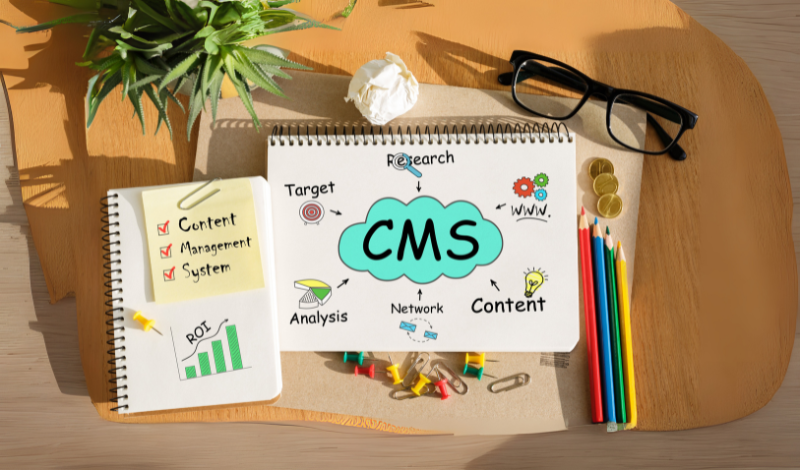
What is a CMS For a Website? Explain with Examples
When it comes to creating and managing a website, it is so complicated if you don’t know how to code. Content management system software helps you in creating a website and managing the website content without having expertise in website creation.. A user-friendly CMS helps to make the business website, e-commerce stores, and blogs with ready-made templates, drag and drop tools, and plugins. In this comprehensive guide, we will explore what is a website content management system is with CMS site examples, and explore the best CMS websites platforms that help you to choose according to your needs. Define CMS Website? A CMS website is the type of site that is created with the help of a content management system, not with complex coding. A content management system offers you different tools like templates, drag and drop editors and plugins to update your website easily. You can easily publish blog posts, add images, manage the product, and you can change the layouts of the site easily. CMS websites are a very user-friendly option for beginners and professionals that make their online presence without facing any issues. For example, WordPress is best for blog posts and Shopify for an online store, and Wix for a business portfolio. What is a Website Content Management System? A website content management system is helps you to design and manage a website without having expertise in coding. You can control your website easily, like creating pages, writing blog posts, uploading images, and designing the layout of your website with a few clicks. You can create a user-friendly CMS web design and manage it easily without adding coding. Here are some examples of platforms like WordPress, Wix, and Shopify that help you to create a professional presence online efficiently. Key Features of a CMS: Easy Content Editing – Add, update, or delete text, images, and videos without coding. Ready-to-Use Templates – Choose from designs to make your website look professional. Plugins & Extensions – Add extra features like contact forms, SEO tools, or eCommerce. User Management – Allow multiple people to manage the site with different roles. SEO Tools – Optimize your site to rank better in search engines. Responsive Design – Ensure your site looks good on mobile, tablet, and desktop. CMS Site Examples Some popular CMS site examples include: WordPress – The most widely used CMS in the world, perfect for blogs, business sites, and even eCommerce. Shopify – A user-friendly CMS focused on eCommerce websites. Wix – A drag-and-drop CMS best for beginners. Joomla – A flexible CMS for more advanced users. Drupal – A powerful CMS often used for large or complex websites. Best CMS Website Platforms With so many options available, choosing the best CMS website platform depends on your goals, technical skills, and the type of website you want to build. Some platforms focus on simplicity, while others are designed for power and flexibility. Below are the most popular web content management systems (CMS) and what makes each one unique. 1. WordPress WordPress is the most widely used CMS for websites. WordPress works on different websites, like blogs and e-commerce online stores, and business sites. You can customize your site with different themes and plugins that meet your needs. It’s also SEO-friendly, which helps your site rank higher on search engines. Best for: Blogs, business websites, and people who want full control over customization. 2. Shopify Shopify is a user-friendly CMS built specifically for e-commerce. It comes with all the tools you need to sell online—product listings, payment gateways, shipping options, and marketing features. It’s simple to use, making it a favorite for small businesses and online store owners. Best for: Online stores and eCommerce businesses of all sizes. 3. Wix Wix is a simple CMS software with drag-and-drop functionality, which makes it beginner-friendly. You don’t need coding skills to design a professional website quickly. Wix is great for small businesses and portfolios. It’s less flexible compared to WordPress in terms of scalability It provides you with different templates and app features like forms, galleries, and online bookings. While Best for: Beginners, small businesses, and creative portfolios. 4. Joomla Joomla is also a strong platform for a web content management system. It offers more flexibility than Wix and more built-in features than WordPress, but it can be slightly harder for beginners to learn. Joomla supports multilingual websites out of the box and is great for community-based sites or portals with lots of content. Best for: Medium to large websites, membership sites, and multilingual projects. 5. Drupal Drupal is considered one of the most advanced CMS site examples. It’s highly secure, scalable, and designed for large, complex websites. While it requires technical knowledge, Drupal is trusted by government websites, universities, and enterprises. It offers excellent performance and flexibility, but may not be the best choice for beginners. Best for: Large organizations, government sites, and projects that require strong security and scalability. Why Choose Cubixsol? At Cubixsol, we help businesses build powerful and user-friendly websites using the best web content management systems (CMS). Whether you need a blog, an eCommerce store, or a custom business website, our team of experts specializes in WordPress development, Shopify stores, Joomla, and Drupal solutions. We focus on creating websites that are easy to manage, responsive, and designed to grow with your business. With Cubixsol, you don’t just get a website—you get a complete digital solution that saves time, improves performance, and helps your brand stand out online. Conclusion Now you know what is a CMS for websites and why it’s so important for businesses and individuals. A website content management system makes it easy to create, update, and manage your site without needing advanced technical skills. From simple CMS software like Wix to powerful platforms like WordPress, Shopify, Joomla, and Drupal, each option has its own strengths depending on your goals. If you want a flexible and all-in-one solution, WordPress is the best choice. For online stores, Shopify is perfect, while Wix works well for
Continue Reading
Why Choose OpenCart for Your E-Commerce Store in 2025?
In this digital marketplace choosing the best and reliable platform for your online ecommerce store is very important. A lot of options are available in the market but the Opencart offers you the most reliable and affordable option and offers optimal performance. Opencart is one of the user friendly and best ecommerce store solutions. In this guide, we will explore how OpenCart hosting affects the performance, discuss OpenCart vs WooCommerce and benefits of OpenCart development company. What Is OpenCart? Open Cart is an online ecommerce platform like CMS that provides the business to setup and manage their store without facing any trouble.Opencart offer the very simple setup or without affordable licensing fees and it is very easy to download and use and is very attractive for all businesses. OpenCart provides you with a very intuitive dashboard and multiple functionality and SEO tools that integrate with different extensions and themes. OpenCart is a very user friendly platform that is best to target the local and international customers for business. The Importance of OpenCart Hosting The reliable OpenCart hosting helps you to ensure that your websites and product pages load quickly without slowing down. It is best to increase the user experience and search engine optimisation. In 2025 there are many businesses that want to transfer to cloud databases or manage the hosting solutions for Opencart that automate the backups, provide security. The OpenCart hosting is best to design the OpenCart store that boosts the user experience and gives you long term success. OpenCart vs WooCommerce There are the most common databases in the ecommerce store industry like OpenCart vs WooCommerce. If we talk about WooCommerce it is a WordPress plugin that builds on WordPress websites to integrate and flexibility. It required the different plugins to add the important features to your ecommerce store that can easily be maintained and used. On the other hand if we take a look at OpenCart it is the most dedicated e-commerce platform that is built for your online store. The OpenCart comes with many features that reduce the third party add ons that increase the load and slow down your websites. Opencart provides the better experience , better scalability and the best performance. Why Choose OpenCart in 2025? Here are some reasons to choose the OpenCart platform : 1. Cost-Effective and Budget Friendly Unlike other platforms that require expensive monthly subscriptions, OpenCart is free to download. Store owners only need to invest in OpenCart hosting, premium themes, and extensions, making it a smart option for small businesses and startups looking to minimize costs. 2. User-Friendly Dashboard OpenCart’s interface is designed with simplicity in mind. Store owners can manage products, track orders, and monitor performance without hiring a full-time developer. 3. Endless Customization Options With access to thousands of extensions, OpenCart can be customized to meet your exact business needs. From payment gateways and shipping integrations to marketing tools and analytics, everything can be tailored. 4. Multi-Store Management One standout feature of OpenCart is its ability to run multiple stores from a single dashboard. This is perfect for businesses managing different product lines or targeting multiple markets. 5. SEO and Marketing Friendly In 2025, online visibility is everything. OpenCart offers SEO-friendly URLs, meta tag customization, and integrated marketing tools to help you drive more traffic to your store. 6. Secure and Reliable Customer trust depends on strong security. OpenCart supports SSL, secure payment gateways, and frequent updates to keep your store safe. Why Work with an OpenCart Development Company? Although OpenCart is easy to set up, businesses that want to stand out often turn to an OpenCart development for professional support. A skilled development team can create custom themes that align with your brand identity, integrate advanced features that improve customer experience, and optimize the store for both speed and SEO. They also provide ongoing technical support to ensure that the store remains secure and performs well during peak times. By working with professionals, businesses can save time, avoid technical challenges, and focus on growing their sales while experts handle the technical side of their online store. Cubixsol – Your Trusted OpenCart Partner At Cubixsol, we understand that every business has unique e-commerce needs. As an experienced OpenCart development company, we help businesses design, develop, and scale their online stores with customized solutions. Our team specializes in setting up reliable OpenCart hosting, creating tailored designs, integrating payment gateways, and ensuring that stores are fast, secure, and optimized for conversions. Whether you are starting fresh with OpenCart or migrating from another platform such as BigCommerce or Magento, Cubixsol provides end-to-end support that ensures your business is always ahead of the competition. Conclusion In 2025, businesses need an e-commerce digital solution that is reliable, scalable, and cost-effective. OpenCart continues to deliver all these advantages, making it one of the best choices for entrepreneurs and enterprises around the world. With the right OpenCart hosting, expert support from OpenCart development services, and a clear advantage in the OpenCart vs WooCommerce debate, OpenCart remains a powerful platform that can help you succeed in the digital marketplace. If you are serious about growing your online business this year, choosing OpenCart with the right development partner like Cubixsol could be the smartest decision you make.
Continue Reading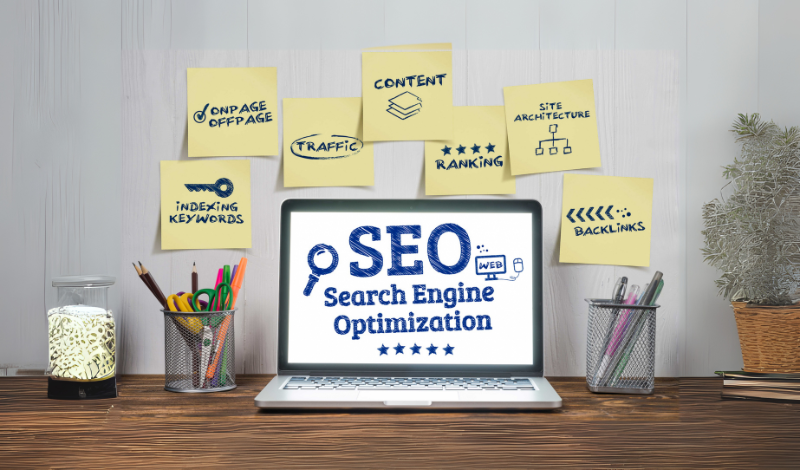
SEO Friendly Web Page Design That Google Loves
When it comes to creating a business online presence, an SEO-friendly website is the best digital solution that makes your presence very attractive and unique. If your website is not optimised for Google, you cannot provide a better user experience to your audience. By using an attractive and unique web design and search engine optimisation, you can create a website that looks very attractive and engages your audience, and ranks on Google. A better SEO website design helps you to improve Google visibility, drive more organic traffic, and provide a better user experience. If you want to create a website design or redesign your existing website, consider a website design for SEO purposes that helps to get more rankings on Google. In this guide, we will explore what SEO website design is, why website design for SEO is important, and how to create an SEO web page design. What Is SEO Website Design? SEO website design is the process of designing and creating an attractive website that gets higher rankings on search engine optimization. In SEO website design, you need to focus on page structure, image optimization, and improve the website speed, and also ensure your website is optimized on every device. By focusing on all these elements, you can make your website more visible on Google. An attractive and unique web design and SEO work together to get better results on search engines. Why Is Website Design for SEO Important? A well-designed website that grabs the attention of the users. Website design for SEO ensures your website is easy to navigate, loads fast, and is mobile-friendly. When web design and search engine optimisation work together make your website more attractive and get a more targeted audience. Web and SEO help boost your business growth by making engaging content and building trust. How to Create a Website That Google Loves If you want to grow your business and make your website visible in search engines, SEO web page design plays a crucial role. Web design and search engine optimisation make your website crawl, index, and rank: 1. Start With an SEO-Friendly Website Design Google loves websites that are easy to navigate, fast, and responsive. An SEO friendly website design helps to browse your website on any device and load the pages quickly. Here are key features of an SEO optimised website design: Mobile responsiveness Fast page load speed Clean navigation and layout Easy-to-read fonts and spacing 2. Combine Web Design and SEO from the Start When you are creating a website, you have to focus on SEO from day one; it’s the biggest mistake when people create the website and then work on SEO. Web design and SEO work together to make your website SEO friendly from day one. Here are the key elements that have to be focused on: Planning keyword-focused content layout Using SEO-friendly URL structures Placing CTAs (calls to action) where they convert best Making sure images, headings, and content are optimized from the start 3. Build a Logical Site Structure The structure of the website helps to crawl your website and web pages easily. A well-structured website makes a high-quality link that builds authority and improves the user experience. A website design and SEO provide you with the best results that help to grow your business on search engines. Use a logical page hierarchy (homepage → category pages → subpages) Add internal links to related content Create a sitemap for search engines Use breadcrumb navigation 4. Optimize for Mobile and Speed Mobile friendly and optimise the speed of your website that make your website and optimise on mobile to get more rankings. A website design for SEO makes your website fast to load and looks attractive on every device: Using responsive design frameworks Compressing images and enabling lazy loading Minimizing CSS and JavaScript files Hosting on reliable servers with SSL certificates These improvements are very important in web development and SEO, which makes your website visible in search engine results. 5. Use SEO-Focused Content and Tags A great SEO web page design includes both visual appeal and high-quality content. Use SEO-friendly practices on every page: Include primary keywords in headings and subheadings Use H1 for the main title, and H2/H3 for sections Write meta titles and descriptions using target keywords like web design and SEO Add alt text to every image All these elements support your search engine optimization website design and help Google understand your content better. 6. Add Technical SEO Elements Even a beautifully designed website can fail in rankings if the technical SEO is weak. A solid SEO friendly website design also includes: Clean, crawlable code Schema markup for enhanced search listings Proper use of canonical tags to prevent duplicate content Robots.txt and XML sitemap configuration 7. Improve User Experience (UX) Google ranks websites based on how users interact with them. If visitors leave your site quickly or can’t find what they’re looking for, your rankings can drop. To improve UX: Keep the design clean and distraction-free Use clear calls to action Organize content with bullet points and short paragraphs Highlight key information 8. Keep Your Website Updated and Monitored SEO is not a one-time job. You need to regularly check and update your website to keep it performing well. Use tools like: Google Search Console to track indexing and keywords Google Analytics to monitor user behavior SEO auditing tools to identify issues in your web design and search engine optimisation Final Thoughts Creating a website that Google loves means thinking about both design and optimization from the start. By aligning web design and SEO, you make it easier for search engines to rank your pages and for users to stay engaged. Whether you’re building a new site or updating an old one, focusing on SEO web page design ensures long-term visibility and success. A smart blend of website design for SEO, technical improvements, quality content, and regular updates will help you build a powerful online presence that both Google and your
Continue Reading
Custom Software vs. Off-the-Shelf Solutions: Which Is Better for Your Business?
When it comes to growing your business, selecting the right software can help you take your business to the next level and streamline business operations. If you want to start a business and you are confused between a custom software solution and an off-the-shelf application software, which one is better for your business growth? Both solutions have their own benefits and limitations, as well as factors. You can choose from both options according to your business needs, budget, and objectives. In this guide, we will explore what off-the-shelf software is, a custom software solution, and bespoke software vs off-the-shelf. What Is Off-the-Shelf Software? Off-the-shelf software is a program that is created for different businesses. It is not designed for a specific company that manages the different task that businesses needs. Here are some examples: Microsoft Office, Zoom, and QuickBooks. It comes with regular updates and some customer support. It is perfectly suited to your business, which comes with special features your business needs. What Is a Custom Software Solution? A custom software solution is created to match the specific objectives, processes, and goals of a company or organisation. Custom software is created to satisfy the specific needs and objectives of the organisation. This form of software improves business operations and processes, saves time, and gives you more control over things. Custom software allows you to increase corporate efficiency, automate business operations, and improve communication between customers and teams. Creating custom mobile or web applications allows you to manage corporate tasks such as sales, inventory tracking, and customer care. Bespoke Software vs Off-the-Shelf: The Key Differences Feature Custom Software Solution Off-the-Shelf Software Flexibility Fully customizable Limited customization Scalability Grows with your business May require upgrades Cost Higher upfront, lower long-term Lower upfront, may require extra tools Implementation Time Longer Immediate Support Dedicated, personalized Generalized support When Should You Choose a Custom Software Solution? Here are some reasons to choose the custom software solution if: If your business process cannot be managed with general software If you need better business integration with your existing system If you want to secure your business due to major concerns If you want to grow your business globally When Is Off-the-Shelf the Right Fit? Here are reasons to choose the off-the-shelf solution: If you want a quick solution on a limited budget If your business processes are standard If you do not need any customization for your business If you don’t need any integration in the existing business Many startups start with off-the-shelf application software to grow on a low budget. Why Choose Cubixsol? Cubixsol is the trustworthy partner that helps to create the smart, scalable, and best solution. If you need any custom software solution or any expert integration with the help of off-the-shelf application software, we offer the best solution to meet your business needs. Our team of experts helps you in creating an efficient, user-friendly, and secure system that meets your business goals. With strong application software, you can integrate a seamless process. Conclusion If you are starting the business and choosing the software solution from a custom software solution or off-the-shelf software, consider it based on business size, needs, and budget. If you want a quick solution in terms of affordability, you can choose the off-the-shelf application software to grow your business. On the other hand, you may need custom solutions to make your business operations easier. You can choose the custom software that you can customize according to your business operations. If you are looking for a custom software solution or an off-the-shelf solution, you can choose Cubixsol that grows your business.
Continue Reading
What Is Data Migration and Why Does It Matter for Small Businesses?
Data migration is crucial for small businesses that want to keep their data and systems up to date. If you want to move the data to the cloud and upgrade the outdated system. The importance of data migration helps small businesses to protect the information and reduce the risks, and ensure smooth operations. The benefits of data migration improve the data, enhance performance, and lower the IT costs. In this guide, we will explore how to do data migration step by step and highlight the best data migration for small business platforms. What is Data Migration? Data migration is the process of migrating data from one system to another, migrating storage or format to another. Data migration is essential when businesses upgrade their software, platforms, and cloud-based systems and data. If you want to grow your company and small business, but don’t know how to do data migration that protects your business operations, improves business efficiency, and supports other features. The benefits of Data migration reduce the risk, improve the performance of the system. Importance of Data Migration: Before discussing how to do data migration, take a look at the importance of data migration is very helpful for moving files from one place to another. Data migration plays a crucial role in enhancing the security of your business. As a small business, you can upgrade your business system and operations and manage the business data. Benefits of data migration include data accessibility, making business operations more efficient, reducing system downtime, improving security, and better integration with modern platforms. How to Do Data Migration: A Simple Guide After discussing the importance of data migration, here we are discussing how to do data migration properly: Step 1: Check Your Data The first step in data migration is to check all your data, which data needs more longer or which you have to delete. Select the folder where you want to store your data. In this way, you can easily clean and save your data a quick way. Step 2: Make a Plan Before moving your data, you have to decide what data you have to move and where you can save and move the data. You have to set your timeline to move data. You can try to migrate data when your system is not busy with any other task, in this way you can avoid any mistakes and type of errors. You make a backup of your data before data migration, in case anything is deleted, you can still access that data easily. Step 3: Choose the Right Tools In this step, you have to choose any reliable tool or software that helps you with data migration. Some tools are free, and some come with a paid subscription. Before choosing the data migration tool or software, you have to check the reviews, reliability, and ease of use tool that migrates your data quickly without creating any errors. If you are not sure or want to take the data migration services, you can visit Cubixsol. We offer data migration services at very affordable prices. Step 4: Move the Data After choosing the reliable data migration tool or software now you can transfer your data. But before moving all data, you can make a short process to make sure everything is working properly or not. If you face any errors or issues, you need to fix them before moving the rest data. Step 5: Test and Check After migrating your data, you have to check again that your data has been moved to another folder or system. Make sure the data is in the right place where you want to migrate, and also make sure nothing is missing. If all data migrates and works well, you have successfully migrated your data to the right place. Best Data Migration Platforms for Small Businesses Some top-rated data migration platforms for small businesses include: Microsoft Azure Data Factory AWS Data Migration Service Google Cloud Data Transfer Dell Boomi Carbonite Migrate Why Choose Cubixsol for Data Migration? When it comes to migrating your data securely and efficiently, Cubixsol is the most trusted partner that helps migrate data. If you want to move your cloud or upgrade your software, or change the platforms, Cubixsol’s expert team safely migrates your data without any errors or deleted data. With our dedicated support and expertise, you can improve your system performance and organize your data in the best way without losing any data, and migrate successfully. Cubixsol offers you the best data migration for small business platforms for smooth operations. Conclusion The data migration process can protect your information and improve business performance. When executed properly, the benefits of data migration are transformative: faster access to data, reduced downtime, increased security, and better system integration. For small businesses looking to upgrade, streamline, or scale, choosing the right partner makes all the difference. That’s where Cubixsol’s services come in. With our expertise, tailored It solutions, and commitment to your success, we ensure your data migration is secure, smooth, and the best data migration for small business platforms.
Continue Reading
What Is a Dedicated Development Team and How Does It Work?
Creating software is challenging without a dedicated team that understands the software development process. A dedicated development team focuses on ensuring the reliability and efficiency of software development. If you want to create mobile apps, a website, or software, you have to need a dedicated development team to hire that meets your needs with their expertise. In this guide, we will explore what dedicated development team services are, the benefits of hiring a dedicated development team, and how to choose a reliable development company. What Is a Dedicated Development Team? A dedicated development team consists of different roles like developers, designers, and project managers. The dedicated team of developers focused on meeting your business goals from outside the house. They work on fronted or back-end development to make sure your software, apps, and website are quickly loaded and work efficiently. How Does a Dedicated Development Team Work? A dedicated app development team manages like in-house staff at very affordable prices. A dedicated team of developers meets the dedicated development team services like front-end, backend, QA, project management, and works on payroll and HR issues. In simple words dedicated development team model offers you full control of your whole work in a single app, website, or software that saves your time and extra budget. In a dedicated team, there are different roles, like developers, designers, content creators, and other professionals who work together to fulfill the business requirements. Why Businesses Choose Dedicated Teams Hiring a dedicated development team helps you make your business operations very quick and manageable. The dedicated development team model is a very affordable and reliable option to grow your business to the next level. Another benefit of choosing a dedicated project team cuts the cost of in-house space, training, and HR. A dedicated team stays with you throughout the project, so they understand your goals and maintain quality over time. If you are looking for mobile app developers, UI/UX designers, or QA testers without wasting months on recruitment. They offer faster progress, better communication, and higher-quality results at very affordable prices. When Should You Hire a Dedicated Development Team: If you are looking for dedicated development team services, you can consider Cubixsol to meet your business needs. Here are the factors when you need to dedicate a team of developers: Long-Term Projects Need Consistency For big or ongoing software projects, having a dedicated development team ensures stability and focus. Since they stay with you throughout the project, a dedicated team of developers understands your business better and helps maintain quality without interruptions. Filling the Skill Gaps Not every company has all the technical skills in-house. Whether it’s mobile app development, cloud solutions, or advanced backend work, hiring a dedicated development team gives you quick access to experts without the long recruitment process. Flexibility to Scale Up or Down The dedicated development team model makes it easy to adjust your resources. If your workload grows, you can quickly expand your dedicated project team. And if things slow down, you can scale back without the challenges of hiring or letting go of permanent employees. Faster Time-to-Market When speed matters, a software development dedicated team keeps your project moving without delays. Because they’re focused only on your product, you can reach the market faster, which is especially valuable for startups and businesses in competitive industries. Lower Costs and Reduced Risks An in-house IT department comes with high costs—salaries, benefits, and training. With a dedicated development team for hire, the provider handles all of that. You get the talent you need while saving money and avoiding the risks of bad hires or staff turnover. Why Choose Cubixsol? At Cubixsol, we specialize in providing dedicated development team services that are tailored to fit your business needs. Whether you’re looking to build a mobile app, launch a new website, or develop complex software, our dedicated team of developers, designers, and project managers works as an extension of your own staff. The best part is, you don’t have to worry about hiring, training, or managing HR—we handle all of that for you. Our goal is to give you reliable, skilled professionals who stay focused only on your project, helping you save time, cut costs, and bring your ideas to life faster. With Cubixsol, you get the flexibility to scale your team up or down, while keeping full control over the work and results. Conclusion A dedicated development team is more than just an outsourcing option—it’s a partnership that gives you control, flexibility, and access to global talent without the heavy lifting of recruitment and HR. Whether you’re a startup racing to launch your first app or an enterprise working on a complex project, this model helps you scale smarter, deliver faster, and keep costs under control. In the end, a dedicated software development team can be the difference between struggling with resources and building a product that truly succeeds. Related Blogs: Dedicated Team vs. Project-Based Model: Which Is Right for You? The App Development Lifecycle: From Idea to Launch
Continue Reading
Progressive Web Apps vs Native Apps: What’s Best for Your Business?
Every business needs a seamless, fast, and good user experience for customers. There are different options available, but businesses are unsure which app development is more effective in boosting growth and user experience. Progressive web app development and native app development have different options and features, and both have different costs according to customizations and features. In this guide, we will explore what a PWA is, progressive web apps vs native apps, and the cost of both app development, and also discuss which app development is best to meet your business needs and goals. What is a PWA? A progressive web that web application that works like a mobile-based app. It works with different features, like you can access online, receive push notifications, and have a home screen icon. It is a very reliable, fast, and engaging web application. There are some examples of progressive web apps, like Pinterest, Twitter, that offer a better user experience and engage customers. What is a Native App? A native app is a software-based application development that we create for Android and iOS. These apps users can download directly from the Play Store and App Store on their devices. In these types of apps, businesses can offer to use the GPS, camera access, and notification features.WhatsApp, Instagram, and Spotify are some examples of native apps. Progressive Web Apps vs Native Apps: Key Differences Here is a progressive web app vs native, and key differences of development cost, features, and performance: Platform & Installation Here is PWA vs native in the platform and installation process: Progressive Web Apps (PWAs): PWA is a web application that works on a web browser, but you can you on your mobile device home screen. It makes the onboarding process quick and reliable. PWA apps work on different web browsers with mobile-friendly features. Native Apps: Native apps are especially designed for iOS and Android so users can download them directly. Native apps provide you with the best performance and security, and different features like GPS, camera access. Performance & Speed Here is a native mobile app vs a web app in performance and speed: PWA: PWA offers you the best performance on web browsers. It quickly loads and works on low-quality networks, and it provides you with a very seamless and responsive experience. But it may be slow to perform the heavy processing and advanced graphics. Native App: Native apps provide you the high responsiveness and are optimized for iOS and Android. It can handle the advanced animations and is very responsive in large datasets, and works more smoothly than PWA with advanced features. Development & Maintenance Cost Here is the cost of native vs progressive web apps: PWA: PWA is a very cost-effective web-based application development. If you need a codebase that works on different devices and platforms, fast and affordable. You can maintain and update these applications in very simple ways and without the need to manage different versions. Native App: In a Native app, you have to build and design separate versions for iOS and Android. In this way, it increases the cost of ongoing maintenance. It can also be expensive if customizations to customers’ demands. Reach & Accessibility Here is progressive apps vs native in React and accessibility: PWA: PWA is the best choice; it can be reached and accessed quickly on any device with a browser. It is faster in launch with fewer limitations. Native App: Native apps can be accessed and downloaded directly from app stores and the Play Store. It can increase visibility and credibility. User Experience Here is a native application vs a web application in user experience: PWA: Progressive web apps provide you with a smooth experience and work on different devices and browsers. PWA supports push notifications and offers some offline functionality and shortcuts for the home screen. Native App: Native apps provide you with the best user experience with integration of the operating system. It offers fast user response and different features with refined designs and interactions. Updates & Maintenance PWA: PWAs update automatically in the background. Users always access the latest version when they open the app, eliminating the need for manual updates. Native App: Updating a native app requires submitting the new version to app stores and waiting for users to download it. This process can take time and may cause delays in rolling out important features or fixes. Pros & Cons at a Glance Feature Progressive Web App Native App Cost Lower Higher Performance Good Excellent Device Features Limited Full Access Offline Functionality Yes Yes User Experience Great Best Discovery Via browser App store Native vs Web Applications: Which is Better? A web app (like a PWA) is a website that looks and feels like an app. People don’t need to download it; they just open it in their browser. It works on all devices, costs less to build, and is easy to update. Web apps are a good choice if you want to reach more people quickly and don’t need advanced phone features. A native app is made just for one type of device, like an iPhone or an Android phone. People download it from an app store. Native apps work faster, look more polished, and can use all the phone’s features like the camera, GPS, or even offline storage. But they cost more to develop and take longer to build because you need a separate app for each platform. At Cubixsol, we build both progressive web apps (PWAs) and native mobile apps tailored to your business needs. Conclusion: Choosing between a progressive custom web app and vs native app depends on your business goals, budget, and target audience. If you aim for a broad reach and quicker development at a lower cost, a PWA is a smart choice. If your app needs advanced features and you can invest more in development, a native app is ideal. Whether you choose a web app vs a native app, ensure it aligns with your users’
Continue Reading
iOS vs Android Development: Which Should You Choose First?
Developing iOS and Android mobile apps is very important to grow your business online and improve the customer experience. If you are running a business, mobile apps help customers perform actions easily. If you plan to develop a mobile app for your business, start with iOS or Android development first. Both platforms have their benefits and features. You can choose from both iOS and Android according to your business target and needs. In this guide, we will discuss Android and iOS application development and Android vs iOS development. What is iOS App Development? iOS app development is the process of creating a mobile app for the iOS operating system. These iOS mobile apps work on Apple devices like iPhone, iPad, and iPod touch. These applications are created using different programming languages like Swift and Objective-C, with the Xcode tool. iOS apps offer you high performance, security, and a user-friendly design. If you are looking to develop an iOS app for your customized solutions, you can choose Cubixsol services, which help you to meet your business goals and needs. What is Android App Development? Android app development is the process of creating mobile apps that work on Android devices like mobiles, tablets, and TVs. These apps are built with the help of Kotlin or Java and with the Android Studio development tool. Android apps are built to reach a large audience. If you need to develop an app for Android and iOS, Cubixsol can help you create user-friendly Android apps. iOS vs Android Development: Key Differences Here is the difference between developing an app for Android and iOS: Feature iOS Development Android Development Programming Language Swift / Objective-C Kotlin / Java Development Tools Xcode Android Studio App Store Apple App Store Google Play Store Market Share Premium Markets Global Reach Testing Devices Fewer (limited models) Wide variety (fragmentation) Which Platform Should You Choose First? After discussing iOS VS Android development, choosing between Android and iOS application development according to your business goals, and using a user-friendly interface. If you want to get high-potential sales with a smooth user experience and reach out to the premium customers, you can choose to develop an iOS app. But if you want to reach the maximum audience, you can develop an app for Android. Android devices are widely used worldwide. But if you want to offer to your customers for both platforms, you can go with app development for iOS and Android, which can help you on all devices. Why Choose Cubixsol for Android and iOS App Development? At Cubixsol, we offer expert app development for iOS and Android under one roof. Our team of skilled Android and iOS app developers works closely with you to deliver user-friendly, scalable, and high-performance mobile applications. We provide: Cross-platform and native app development UI/UX design tailored for each platform Post-launch support and updates Scalable solutions for startups to enterprises Conclusion When it comes to developing for Android vs iOS, there’s no one-size-fits-all solution. Each platform has its unique strengths and limitations. Your choice should depend on key factors like your business goals, target audience, budget, and the features you need. Whether you decide to start with app programming for iOS or go with Android application development, having the right app development iOS and Android partner makes all the difference. At Cubixsol, we help you build app programming for iOS, Android, or both. Our expert team handles everything in your app development journey. Related Blog: The App Development Lifecycle: From Idea to Launch
Continue Reading
Top PHP Frameworks for Modern Web Development
PHP frameworks are the preferred choice among developers worldwide for building efficient web applications. These PHP frameworks help in the web development process to maintain and secure the code. A PHP website framework provides a structured and organized approach to building libraries and industry applications. The web developers can save your valuable time by building functionalities like authentication, routing, database abstraction, from validation. If you are creating different PHP frameworks for your small business website or a large company, to promote code reusability and scalability. In this article, we will explore different PHP frameworks and their use, and also explain how to find what framework a website is using. Why Use a PHP Framework? Frameworks ensure that your code is organized, secure, and easy to maintain. A PHP framework is the best way to build and maintain web development modules, code templates, and tools. Without PHP frameworks, you can not write or design from scratch. Frameworks are used to ensure that you code you write is organized, secure, and maintainable. Frameworks make the work of developers easier to speed up the development process. The best frameworks for web development help with different features like input sanitization, CSRF protection, and security. Best PHP Frameworks for Web Development Here is the list of frameworks that you can consider in your web development process: 1. Laravel Laravel is widely famous as the best PHP framework for its elegant syntax and features. Laravel is a very simple and easy framework. It provides you with different tools for routing, authentication, and management. The Laravel framework is used to create user-friendly, maintainable web applications. You can use Laravel if you want to create a web application with code. 2. Symfony Symfony is a highly flexible PHP website framework that allows you to configure the components and features according to your needs and goals. This framework is used in different platforms like Drupal, Magento, and Laravel. Symfony can manage high-traffic applications and offer excellent support in multilingual and international projects. You can choose the Symfony PHP framework if you want to build a large-scale project with proper customizations. 3. CodeIgniter Codeigniter is a fast PHP framework that is best for simplicity and boosting speed. Codeigniter framework provides you with the best and important tool that helps to build a powerful query builder, manage sessions, and use for form validation without unnecessary complexity. You can choose Codeigniter if you are creating a small website for your small startup, and if you want to quickly build something with minimal configuration. 4. Yii Yii is the best PHP framework that helps you maintain the performance and speed of your applications. Yii is a PHP website framework that you can use for heavy traffic handling and complex workflows like e-commerce platforms and content management systems. This is perfect for online e-commerce stores and social media to improve the performance and security of your business. 5. Laminas (formerly Zend Framework) Laminas is the best and reliable PHP website framework that is designed for a large company app. You can customize your applications according to your company’s needs and goals. Laminas emphasizes security and extensibility, and it’s often chosen for building APIs, cloud-based applications, and high-performance business solutions. If you need a reliable, enterprise-ready framework, you can choose the Laminas that offers maximum control and stability. 6. Phalcon Phalcon is a unique PHP framework because it’s delivered as a C extension, making it incredibly fast and resource-efficient. Despite its speed, it provides a full set of features like routing, ORM, caching, and security. It’s well-suited for performance-critical applications where every millisecond counts, such as real-time analytics or high-traffic websites. Phalcon is the go-to choice when you want the benefits of a framework but can’t afford the typical performance overhead. How to Find What Framework a Website is Using? If you’ve ever wondered what PHP website framework a site was built on, you’re not alone. Many developers like to explore other websites for inspiration and learning. There are tools like BuiltWith, Wappalyzer, and browser extensions that can help you discover a site’s tech stack. Simply enter the URL, and these tools will analyze the site to tell you if it’s using Laravel, Symfony, CodeIgniter, or another popular PHP framework. If you need expert help in identifying and working with these frameworks, Cubixsol also offers consulting services to analyze, recommend, and develop using the most suitable PHP framework for your project. Why Choose Cubixsol for PHP Development? At Cubixsol, we understand that every business has unique needs. That’s why we offer customized PHP development services using the best frameworks for web development. Whether you’re looking for a simple PHP website framework for a small project or a scalable enterprise-grade solution, our experienced developers are here to help. Conclusion Choosing the best PHP frameworks according to the project’s goals and the goals of your business application. Whether you need Laravel’s ease of use, Symfony’s flexibility, or Phalcon’s speed, the best PHP frameworks help you save time, improve code quality, and build secure, scalable web applications. If you’re ready to build your next project with a reliable PHP partner, contact Cubixsol today and let us turn your vision into reality! Related Blog: What Is PHP and What Does It Stand For?
Continue Reading