
Webhooks vs Polling: Why Real-Time Integrations Matter in 2026
In modern software, knowing that something happened is often just as important as knowing what happened. A customer completes a payment. An order changes from pending to shipped. A user creates an account. A GitHub pull request is opened. A subscription is renewed. An AI workflow needs to start processing a new request. The question is simple: How does your application know that something changed? For years, developers have relied on two common approaches: polling and webhooks. Both solve the same fundamental problem—keeping systems synchronized—but they do it in completely different ways. Polling repeatedly asks an API whether something has changed. Webhooks allow the external system to notify your application when something actually happens. That difference can have a major impact on performance, scalability, API usage, responsiveness, reliability, and overall system architecture. And as applications become increasingly connected in 2026, understanding when to use each approach is more important than ever. What Is Polling? Polling is the traditional approach to checking for changes. Your application periodically sends a request to another system: “Has anything changed?” For example, imagine an e-commerce application that needs to know when an order has been paid. It might call an API every 30 seconds: GET /orders/12345 The response might say: status: pending Thirty seconds later, the application asks again. Then again. And again. Eventually: status: paid The application finally discovers that the payment has been completed. The basic workflow looks like this: Application → API → “Anything new?” API → Application → “No.” Thirty seconds later: Application → API → “Anything new?” API → Application → “No.” Eventually: Application → API → “Anything new?” API → Application → “Yes, the order has been paid.” The approach is straightforward and easy to understand. But there is a problem. Most of those requests may provide no new information. The Hidden Cost of Polling Polling may look inexpensive when dealing with a single customer or a small application. But consider what happens at scale. Imagine: 10,000 active orders Each order checked every 30 seconds 2 requests per minute per order That can quickly become a large number of API requests—even when very few orders actually change. The application spends resources asking questions whose answers are frequently: “Nothing has changed.” This can lead to: Unnecessary API traffic Higher server workload Increased database queries Greater network usage Rate-limit pressure More infrastructure costs Delayed reactions depending on the polling interval The problem becomes even more noticeable when integrating with multiple external services. If your application polls a payment provider, CRM, inventory platform, shipping service, and analytics platform, the number of recurring requests can grow rapidly. Polling doesn’t necessarily mean bad architecture. It means you’re choosing a model where the consumer repeatedly checks for state changes. What Are Webhooks? Webhooks use a fundamentally different model. Instead of your application repeatedly asking: “Has something changed?” The external system tells your application: “Something changed.” Your application exposes an endpoint that can receive events. For example: POST /webhooks/payment When a payment is completed, the payment provider sends an event to your application. The workflow becomes: Payment completed ↓ Payment provider generates event ↓ Webhook request sent ↓ Your application receives event ↓ Event is validated ↓ Order is updated Instead of checking every 30 seconds, your application can react when the event occurs. This is the core idea behind event-driven integrations. Polling vs Webhooks: A Simple Analogy Think about waiting for a package. With polling, you repeatedly call the delivery company: “Has my package arrived?” Then five minutes later: “Has my package arrived?” Then again: “Has my package arrived?” With a webhook, you tell the delivery company: “Notify me when my package arrives.” You don’t need to keep asking. The delivery company contacts you when the event happens. That is essentially the difference between polling and webhooks. Polling = Pull Webhooks = Push Why Webhooks Are Becoming More Important in 2026 Modern applications are increasingly built as connected ecosystems rather than isolated systems. A typical application might integrate with: Payment gateways CRM platforms E-commerce systems Accounting software Email platforms Shipping providers Analytics platforms Cloud services AI APIs SaaS applications Internal microservices An event in one system can trigger actions across several others. For example: Payment received ↓ Order updated ↓ Inventory reduced ↓ Customer notified ↓ CRM updated ↓ Analytics recorded ↓ AI workflow triggered This is where event-driven architecture becomes extremely powerful. Instead of every service constantly checking whether something has happened, systems can react to meaningful events. Webhooks Enable Event-Driven Architecture Webhooks are more than an alternative way to call an API. They can become the starting point for an event-driven workflow. Consider a customer support platform. A new customer message arrives. Instead of continuously checking for new messages: New message → Webhook → Queue → AI analysis → Suggested response → Human approval The event becomes the trigger for the workflow. This architecture can make applications more responsive and can help separate different responsibilities. For example: Webhook ↓ Validate Event ↓ Queue Job ↓ Background Worker ↓ Business Logic ↓ Database / API / AI The webhook endpoint does not necessarily need to perform all the work itself. Its job can simply be to receive, validate, acknowledge, and queue the event. But Webhooks Aren’t Automatically Better This is an important point. It is easy to say: “Webhooks are real-time, so always use webhooks.” That’s not good engineering. Webhooks introduce their own challenges. You need to think about: Security Duplicate events Failed deliveries Retries Idempotency Event ordering Timeouts Monitoring Logging Queue management Dead-letter handling A webhook endpoint that simply accepts a POST request and immediately performs complex business logic may work during development. But production systems require much more consideration. The Duplicate Event Problem One of the most important webhook concepts is idempotency. Imagine a payment provider sends: payment.completed Your application receives the event and creates an order. But what happens if the same webhook is delivered again? Your application could accidentally create another order. Now you have: One payment
Continue ReadingBeyond the Cart: Using WooCommerce as an Event-Driven Application Engine
WooCommerce is usually introduced as an e-commerce platform: products go into a cart, customers complete checkout, and orders are created.But in more complex applications, the order is not the end of the process. It is the beginning of a business workflow. An order might trigger account provisioning, course enrolment, subscription activation, access changes, fulfilment workflows, notifications, reporting, or integration with another system.At that point, treating WooCommerce simply as a shopping cart becomes limiting.A better approach is to view WooCommerce as an event-driven application engine where commercial events can trigger well-defined business processes.This article explores how to design that architecture in a maintainable and reliable way, using WordPress and WooCommerce as the underlying platform. 1. From E-Commerce to Business Workflows A simple WooCommerce implementation might look like this: Customer ↓ Product ↓ Cart ↓ Checkout ↓ Order ↓ Payment For a more complex application, the workflow can look very different: Customer ↓ Purchase ↓ Order Created ↓ Payment Confirmed ↓ Business Event ↓ Process Order ├── Create/Update Enrolment ├── Assign Access ├── Update Customer State ├── Send Notification └── Schedule Follow-up The important architectural shift is this: An order should not contain all of the business logic. The order should trigger the business logic. This distinction becomes extremely important as an application grows. If every WooCommerce hook contains database operations, API calls, email logic, validation rules, and domain-specific decisions, the plugin quickly becomes difficult to maintain. 2. What Does “Event-Driven” Mean in WooCommerce? Event-driven architecture is based on a simple concept: Something happens, and that event causes another part of the system to react. In WooCommerce, events are commonly exposed through WordPress actions and filters. For example: add_action(‘woocommerce_order_status_completed’, ‘process_completed_order’); function process_completed_order($order_id) { // Business logic } This works for a small plugin. However, placing the entire workflow inside process_completed_order() creates a tightly coupled system. A production-oriented implementation should instead treat the hook as an entry point. For example: add_action( ‘woocommerce_order_status_completed’, [OrderEventListener::class, ‘handle’] ); The listener then delegates the work: class OrderEventListener { public function handle(int $order_id): void { $order = wc_get_order($order_id); if (!$order) { return; } $this->orderService->process($order); } } Now the WooCommerce hook knows very little about the actual business process. That is a significant architectural improvement. 3. Thin Event Listeners, Strong Business Services One of the most useful patterns for complex WooCommerce development is keeping event handlers thin. Instead of: WooCommerce Hook ↓ Validation ↓ Database queries ↓ Business rules ↓ Email ↓ API calls ↓ Logging use: WooCommerce Event ↓ Event Listener ↓ Application Service ↓ Business Logic ↓ Repositories / Integrations For example: class OrderEventListener { public function handle(int $order_id): void { $order = wc_get_order($order_id); if (!$order) { return; } $this->enrolmentService->processOrder($order); } } The service owns the business process: class EnrolmentService { public function processOrder(WC_Order $order): void { $customerId = $order->get_customer_id(); $items = $order->get_items(); foreach ($items as $item) { $this->processItem( $customerId, $item ); } } } This separation gives the application a much cleaner architecture. The WooCommerce layer handles WooCommerce events. The service layer handles business decisions. The database layer handles data persistence. The integration layer handles external systems. 4. Events Should Represent Business Meaning Not every technical event should automatically become a business event. For example: woocommerce_checkout_order_processed is a technical WooCommerce event. But the application may actually care about: OrderPaid EnrolmentRequested CourseChanged AccessGranted EnrolmentCancelled These represent business meaning. This distinction allows the application to evolve independently from WooCommerce. Conceptually: WooCommerce Event ↓ Event Listener ↓ Application Event ↓ Business Service For example: final class OrderPaidEvent { public function __construct( public readonly int $orderId ) {} } The event becomes a clear contract between the infrastructure layer and the application layer. 5. Why Idempotency Matters One of the biggest challenges in event-driven systems is duplicate processing. Imagine an order completion event is triggered twice. Without protection: Order Completed ↓ Enrol User ↓ Order Completed Again ↓ Enrol User Again The result could be duplicate records, duplicate emails, duplicate API calls, or inconsistent application state.This is why event-driven systems should be designed with idempotency in mind.An operation is idempotent when executing it multiple times produces the same final result as executing it once. For example: if ($this->enrolmentRepository->exists( $customerId, $courseId )) { return; } $this->enrolmentRepository->create( $customerId, $courseId ); The application checks the current state before creating a new record.A stronger approach is to enforce uniqueness at the database level as well. For example: UNIQUE KEY customer_course ( customer_id, course_id ) The application should not rely exclusively on PHP-level checks. Application-level validation + database-level constraints provide much stronger protection. 6. State Matters More Than Events A common mistake is thinking only about what happened. A reliable application also needs to understand what state the system is currently in. Consider an enrolment workflow: Not Enrolled ↓ Pending ↓ Active ↓ Completed A change might then occur: Active ↓ Course Swap Requested ↓ Old Course Removed ↓ New Course Assigned Instead of simply saying: “The order was completed, so enrol the customer.” the application should ask: “What is the current state of this customer’s enrolment, and what transition should happen next?” This leads naturally to state-based business logic. For example: switch ($enrolment->status) { case ‘pending’: $this->activate($enrolment); break; case ‘active’: $this->updateAccess($enrolment); break; case ‘completed’: $this->handleCompletedState($enrolment); break; } This approach becomes particularly valuable when orders can be modified, refunded, cancelled, or associated with changes after the initial purchase. 7. Designing an Order-Driven Workflow Consider a generic scenario. A customer purchases a product that represents access to a learning programme. The workflow could be: Customer Checkout ↓ WooCommerce Order ↓ Payment Confirmed ↓ Order Event ↓ Validate Product ↓ Resolve Programme ↓ Check Existing Enrolment ↓ Create / Update Enrolment ↓ Assign Learning Access ↓ Send Notification The important part is that each stage has a clear responsibility. For example: Order layer Responsible for: Reading WooCommerce order data Identifying customer Identifying purchased products Reading order metadata Business layer Responsible for: Determining what the purchase
Continue ReadingReal-Time Data Synchronisation Between WordPress and External APIs: Building Reliable, Scalable, and Intelligent Integrations
Introduction Modern websites are no longer standalone platforms. Businesses rely on multiple digital systems—including CRMs, payment gateways, inventory management platforms, marketing automation tools, booking engines, ERP solutions, learning management systems, and analytics platforms—to deliver seamless customer experiences. As a result, WordPress has evolved from being a traditional content management system into a powerful application platform capable of communicating with countless external services. One of the biggest challenges in this interconnected ecosystem is ensuring that data remains accurate, consistent, and up to date across all systems. This is where real-time data synchronisation becomes essential. Rather than waiting for scheduled updates or requiring manual intervention, real-time synchronisation enables WordPress and external applications to exchange information instantly whenever changes occur. Whether it’s updating product inventory, syncing customer profiles, processing orders, publishing property listings, or delivering course enrolments, real-time integration significantly improves efficiency, reduces errors, and enhances user experience. This article explores the architecture, technologies, implementation strategies, security considerations, and best practices involved in building reliable real-time data synchronisation between WordPress and external APIs. Understanding Real-Time Data Synchronisation Real-time data synchronisation refers to the continuous exchange of information between two or more independent systems immediately after a change occurs. Instead of storing isolated copies of information, connected platforms remain synchronised by transmitting updates as events happen. For example: A WooCommerce order is automatically sent to a CRM. A booking created in an external PMS instantly appears on a WordPress website. Customer profile updates are reflected across all connected applications. Inventory changes update product availability within seconds. Payment confirmations trigger automatic order processing. The objective is simple: One action. One source of truth. Multiple systems updated automatically. Why Real-Time Synchronisation Matters Businesses increasingly depend on interconnected software ecosystems. Delayed or inconsistent information can lead to operational inefficiencies and poor customer experiences. Real-time synchronisation helps organisations by: Eliminating duplicate data entry Reducing human errors Improving operational efficiency Delivering consistent customer experiences Supporting business automation Providing accurate reporting Enhancing scalability Accelerating business workflows For organisations processing thousands of daily transactions, even small delays can create significant inconsistencies across systems. Common WordPress Integration Scenarios Real-time synchronisation is used across numerous industries. WooCommerce Integrations Typical synchronisation includes: Orders Customers Products Inventory Shipping updates Payment confirmations Refund status CRM Synchronisation WordPress frequently exchanges data with CRM platforms to maintain customer records. Examples include: Lead generation Contact management Customer segmentation Marketing automation Sales pipeline updates Property Management Systems Hospitality businesses often synchronise: Property availability Booking calendars Pricing Guest information Reservation status This prevents double bookings while ensuring accurate listings. Learning Management Systems Educational platforms synchronise: Student registrations Course enrolments Progress tracking Certificates User permissions Membership Platforms Subscription websites commonly synchronise: User roles Membership status Payment history Subscription renewals Access permissions Architecture of a Real-Time Synchronisation System A reliable synchronisation solution typically consists of several interconnected components. User Action ↓ WordPress Event ↓ Validation Layer ↓ API Request ↓ Authentication ↓ External System ↓ Response Handling ↓ Database Update ↓ Logging & Monitoring Each stage plays a critical role in ensuring data integrity and system reliability. Methods of Real-Time Synchronisation Several architectural approaches can be used depending on business requirements. 1. Webhooks Webhooks are among the most efficient methods for real-time communication. Instead of repeatedly checking for updates, the external system immediately sends a notification whenever an event occurs. Examples include: New orders Payment completion Booking confirmations Customer registration Product updates Advantages Instant updates Low server load Highly scalable Event-driven architecture 2. REST APIs REST APIs enable secure communication between WordPress and external platforms using HTTP requests. Common operations include: GET POST PUT PATCH DELETE REST APIs provide flexibility for reading, creating, updating, and deleting data across connected systems. 3. Polling Polling periodically checks an external API for changes. Although simple to implement, it may introduce delays and unnecessary server requests. Polling is suitable when webhooks are unavailable. 4. Message Queues Large-scale systems often introduce queues to process synchronisation tasks asynchronously. Popular message brokers include: RabbitMQ Apache Kafka Amazon SQS Redis Queues Queues improve scalability while preventing request bottlenecks. Authentication Strategies Security is fundamental when synchronising sensitive business information. Common authentication mechanisms include: API Keys Simple and widely supported for server-to-server communication. OAuth 2.0 Ideal for applications requiring delegated user access without exposing credentials. JWT Authentication JSON Web Tokens enable secure identity verification between applications. Bearer Tokens Frequently used alongside OAuth to authorise authenticated requests. Data Validation Before Synchronisation Never assume incoming data is valid. Every request should undergo validation before processing. Recommended checks include: Required fields Data types Email validation Date formatting Duplicate detection Business rules Input sanitisation Output escaping Strong validation prevents corrupted records from entering production systems. Error Handling Strategies Network interruptions and API failures are inevitable. Robust systems should anticipate failures rather than simply react to them. Recommended techniques include: Retry failed requests Exponential backoff Request timeouts Detailed error logging Dead-letter queues Alert notifications Transaction rollback where appropriate Effective error handling greatly improves system reliability. Managing Data Conflicts Conflicts occur when the same information is modified simultaneously in multiple systems. Common conflict resolution strategies include: Last-write wins Timestamp comparison Version control Manual approval workflows Source-of-truth prioritisation Selecting an appropriate strategy depends on business requirements and data sensitivity. Performance Optimisation Techniques As synchronisation frequency increases, performance becomes increasingly important. Optimisation techniques include: Batch processing Database indexing Object caching Lazy loading Asynchronous requests Background processing Efficient SQL queries Pagination for large datasets These practices reduce server load while improving response times. Caching Considerations Caching improves performance but requires careful implementation. Frequently cached resources include: Product catalogues API responses Configuration settings Exchange rates Tax information Cache invalidation policies should ensure outdated information is removed promptly after updates. Security Best Practices Protecting synchronised data requires multiple layers of security. Recommended practices include: HTTPS encryption Secure API authentication Rate limiting Nonce verification Input sanitisation Output escaping Web Application Firewalls Principle of least privilege API request logging Secret management using environment variables Security should never be treated as an afterthought. Monitoring and Observability Visibility into synchronisation processes is essential for diagnosing issues before
Continue Reading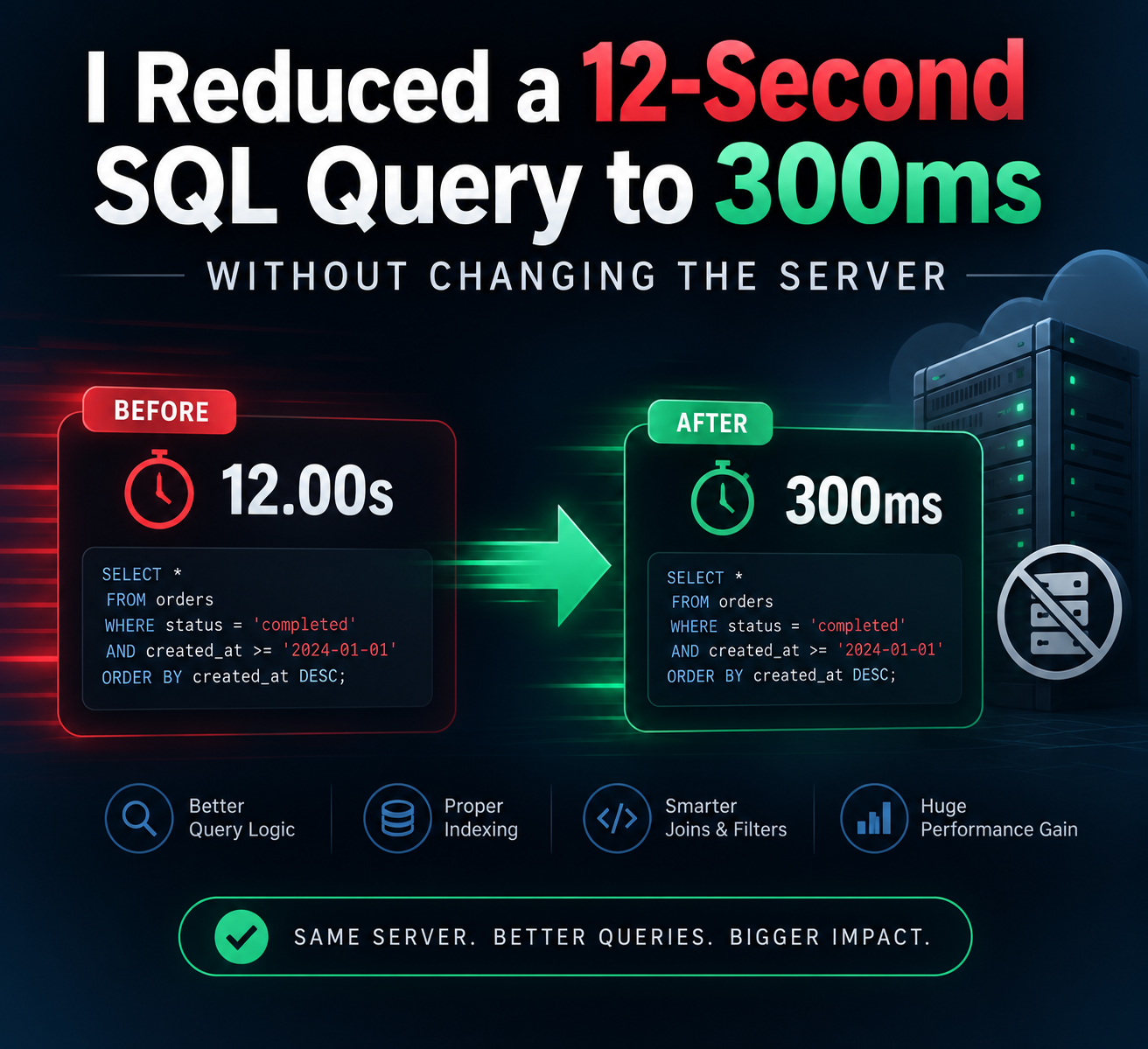
I Reduced a 12-Second SQL Query to 300ms Without Changing the Server
Performance optimization isn’t always about buying better hardware. Sometimes, it’s about asking the database the right question. Introduction A slow application can quickly become a frustrating experience for users. Whether it’s an e-commerce platform, a SaaS dashboard, or a reporting system, database performance often becomes the hidden bottleneck as data grows. Recently, I worked on optimizing a SQL query that consistently took around 12 seconds to execute. The interesting part? I didn’t upgrade the server, increase memory, or add more CPU resources. Instead, I focused on understanding how the database was processing the query. After analyzing the execution plan and making a few targeted improvements, the execution time dropped to around 300 milliseconds. This experience reinforced an important lesson: Database performance is rarely just a hardware problem—it’s often a query design problem. The Problem The application had grown significantly over time. What once handled thousands of records was now processing millions. Users were reporting: Slow dashboard loading Delayed reports Long waiting times when filtering data Increased database resource usage The query itself wasn’t particularly complicated. It joined several tables, filtered records based on multiple conditions, sorted the results, and returned paginated data. On paper, everything looked reasonable. In practice, it was taking over 12 seconds. My First Step: Don’t Guess One of the biggest mistakes developers make is immediately trying random optimizations. Instead, I started by asking one simple question: Why is the database taking so long? Rather than rewriting everything, I analyzed the query execution plan. The execution plan quickly revealed several issues: Full table scans Inefficient joins Missing indexes Expensive sorting operations Unnecessary columns being selected Instead of treating the symptoms, I focused on fixing the root causes. The Optimizations 1. Eliminating Full Table Scans The first issue was that the database was scanning entire tables even when only a small subset of records was needed. Adding carefully planned indexes allowed the database engine to locate the required rows almost instantly instead of reading millions of unnecessary records. The difference was immediately noticeable. 2. Reviewing Every JOIN JOIN operations are powerful, but they’re also one of the most common reasons for slow SQL queries. I reviewed every join individually and asked: Is this table actually required? Can the filtering happen before joining? Are both columns indexed? Is there a better join order? Removing unnecessary work reduced the amount of data flowing through the query. 3. Selecting Only Required Columns One surprisingly common mistake is using: SELECT * While convenient during development, it often retrieves far more data than needed. Replacing it with only the required columns reduced: Memory usage Network traffic Disk reads Small improvement individually. Significant improvement overall. 4. Filtering Earlier Another optimization involved pushing filters as early as possible. Instead of joining large datasets first and filtering later, I filtered records before expensive operations occurred. This reduced the workload dramatically. 5. Improving Sorting Sorting millions of rows is expensive. By combining appropriate indexes with better query structure, the database avoided unnecessary sort operations altogether. The Result Before optimization: Execution time: ~12 seconds High CPU usage Heavy disk activity Poor user experience After optimization: Execution time: ~300 milliseconds Significantly lower database load Faster application response Better scalability All achieved without changing the server specifications. Then I asked AI… Out of curiosity, I shared the problem with an AI coding assistant. Its recommendations included: Increase server RAM Upgrade database hardware Add caching immediately Scale vertically Use a faster cloud instance None of these suggestions addressed the actual bottleneck. The issue wasn’t hardware. It was query execution. AI generated reasonable generic advice—but it couldn’t inspect the execution plan, understand the application’s workload, or identify the real source of the slowdown without deeper context. Why Engineering Judgment Still Matters AI has become an incredible productivity tool. It can: Explain SQL syntax Suggest query structures Generate boilerplate code Recommend best practices Help troubleshoot common issues But performance engineering often requires context. It requires understanding: Data distribution Business logic Database statistics Execution plans Index selectivity Query costs Real production workloads These are decisions that still depend on engineering judgment. AI can assist. It shouldn’t replace thoughtful analysis.
Continue Reading